
retirement party
One Screen to Run Helena's Retirement Party
A Ludlow librarian's 40-year send-off needed a quiz, a scoreboard, and a running order — all on one phone, offline, in a village hall.
Artem
Founder
· 4 min read
Helena Prosser spent 40 years as the beating heart of a Ludlow school and village library. Now she's retiring, and someone has to compere the party. That someone is you — juggling a personal quiz, a scoreboard for four tables, and a speech-and-cake schedule, probably off a piece of paper you'll drop the moment the room gets loud.
Helena's Send-off is a single phone screen that holds all three. Built for one specific evening, for one specific person, it's the kind of tool that would have taken a weekend to cobble together from spreadsheets and timers — here it's ready before you've finished your first cup of tea.
Live demo
The problem with party notes
The classic retirement party MC kit is a folded A4 sheet with the running order, a separate notebook for scores, and a phone timer that keeps going off at the wrong moment. It works fine at the kitchen table the night before. It falls apart the second Auntie Pat starts talking to the DJ.
What you actually need is one screen that shows you what's happening right now, what's next, and how the teams are doing — without having to swipe between apps or explain to someone else how your scoring system works. That's the whole brief Helena's Send-off was built to answer.
A run-of-show that moves with the evening
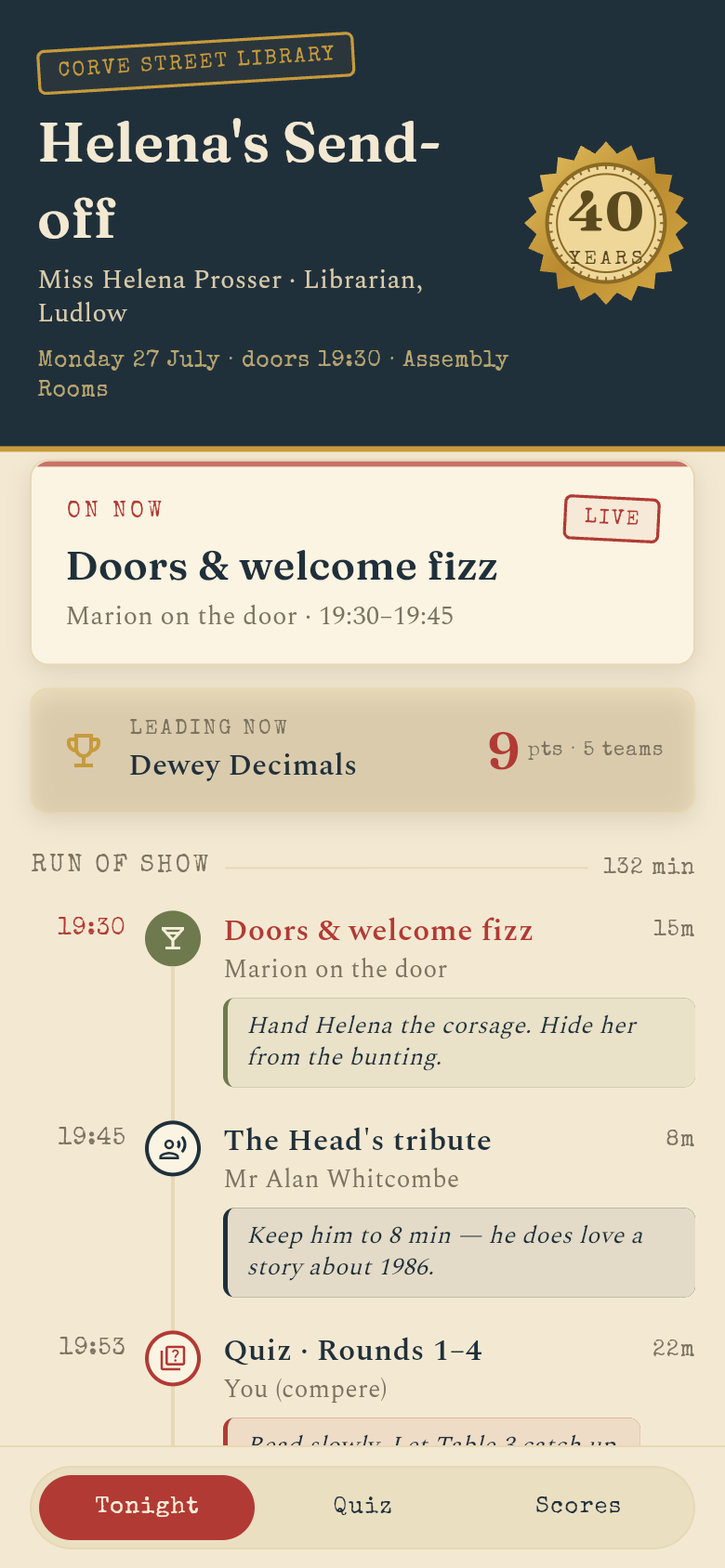
The schedule lists every item from welcome drinks to cake cutting, with a duration next to each one. A clock-derived indicator shows what's 'on now' so you're never counting backwards from a start time in your head. If the first speech runs long, you drag the cake slot down a notch — the order updates instantly.
The app comes seeded with Helena's real scenario: the quiz rounds are already named, the toast is timed, the cake is pencilled in after the final scores. Nothing starts blank. The night before, you run through it at home, reorder so the overdue-fine question lands right before the toast (it gets a bigger laugh that way), and you're done.
Try tapping through the schedule in the demo above. You can rearrange items, edit durations, and watch the 'on now' indicator shift. The whole thing is stored locally on the device — no account, no Wi-Fi, no surprises when the village hall router gives up.
Twenty questions about Helena, in the right order
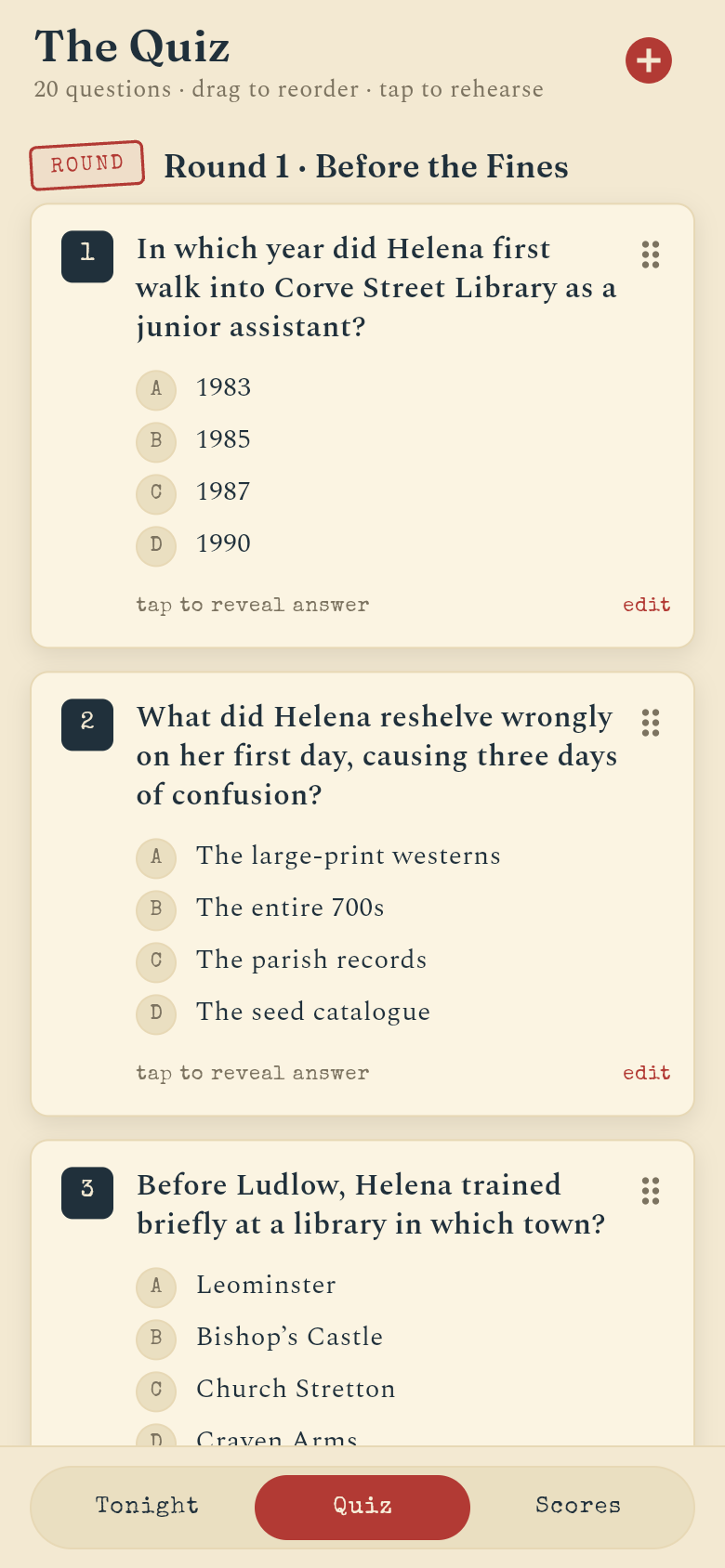
The quiz section holds 20 questions across grouped rounds, each with a tap-to-reveal answer and a short anecdote underneath. In rehearsal mode the night before, you tap through every answer to make sure you can say the story behind it without reading it word for word. On the night, you read the question aloud, pause for the teams to confer, then tap to reveal.
Drag-to-reorder means you can move the trickier questions to later in the round if you want to build tension, or swap two rounds if the mood in the room is calling for something lighter first. The ordering you set the night before is exactly what you see when you walk into the hall.
The questions in the demo are genuinely about Helena — her first week, the most overdue book ever returned, the thing she kept in her desk for 40 years. They feel hand-made because they are: the app was built around her story, not populated with placeholder text you have to delete.
Scores on the board, no arguments
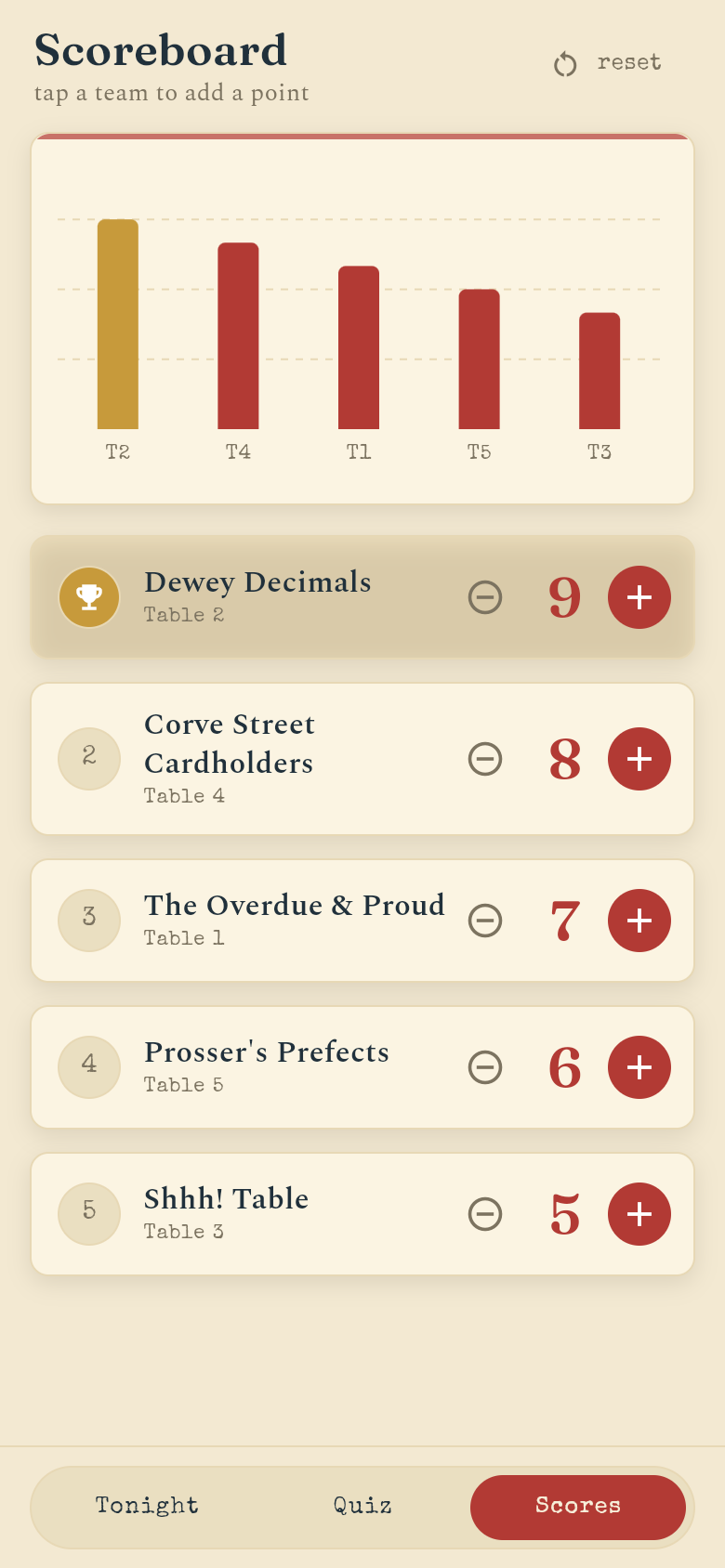
The scoreboard runs alongside the quiz: four teams, a plus and minus button for each, and a standings chart that reorders itself as points go in. No one has to trust your running mental total. No one has to wait for you to find the notebook.
The reset button is there for when a round ends and you want to start fresh, or when Table 3 insists you miscounted round two and you need to show them the chart. The +/- controls are big enough to tap accurately while also holding a microphone and making eye contact with the room.
Give it a try in the embedded app — add a few points to different teams and watch the standings shift. It's a small thing, but having a visual chart means the competitive tables stay engaged even between questions.
Built for a bad signal and a one-night stand
Village halls are not known for their Wi-Fi. Helena's Send-off stores everything on the device the moment you open it. There's no login, no sync, no cloud dependency to go wrong. If you lose signal halfway through round two, the app doesn't notice.
It's also not trying to be a general event-planning platform. It's built for one evening, for one person's retirement, in one specific hall. That narrowness is the point. Everything on screen is relevant to tonight. Nothing is in the way.
39
files in the build
40.5 MB
app bundle
Flutter Web
runs in any browser
Got your own send-off to run?
Describe the person, the venue, the quiz questions you have in mind, and what the evening needs to cover. Your own version — seeded with real names, real stories, real timings — is ready in minutes.