
health fitness
Step Streak: A Simple Heatmap for Your Daily Walk Habit
Log your steps in two taps, watch a GitHub-style heatmap fill in, and keep your streak alive, no wearable or health app required.
Artem
Founder
· 5 min read
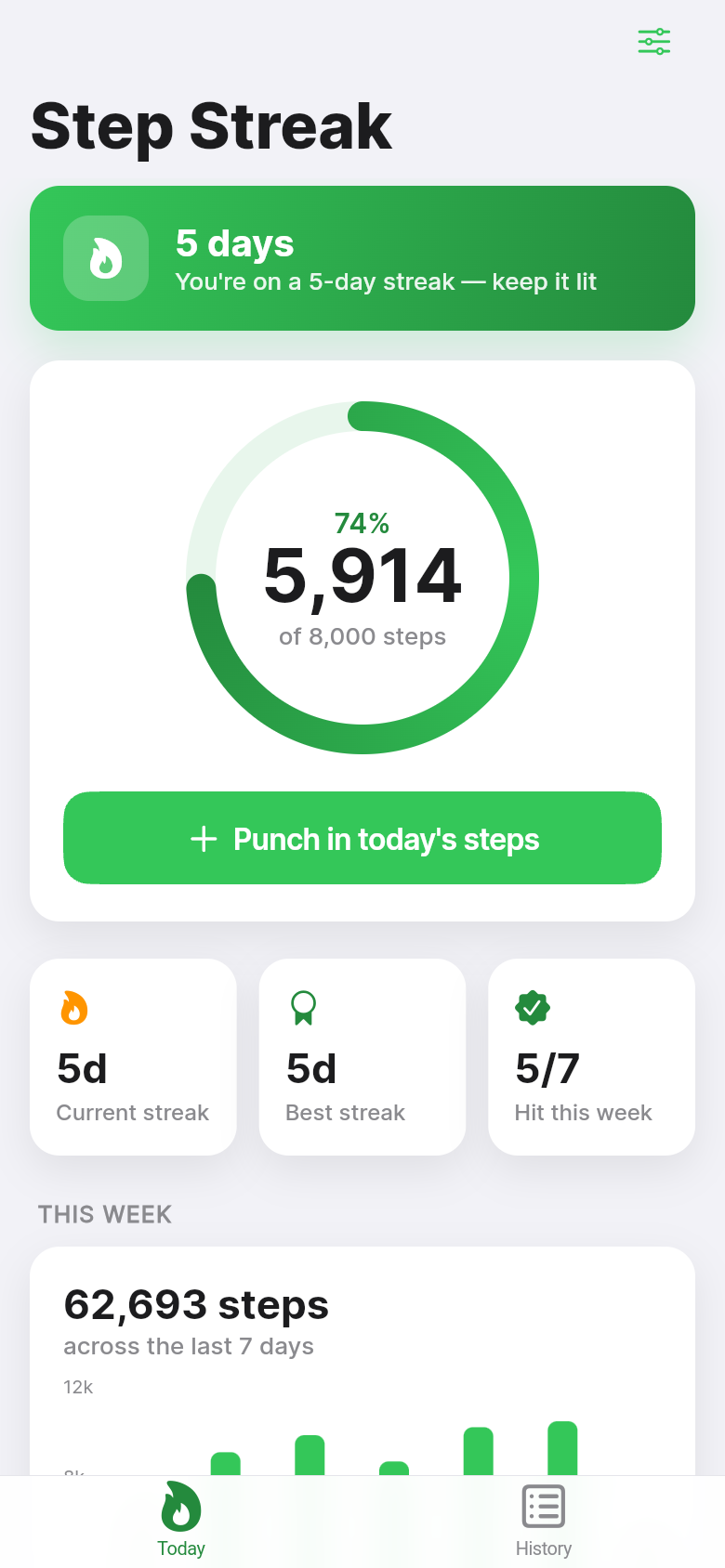
Most step-tracking apps ask you to hand over your Health data, sync a wearable, or stare at a plain number that resets every midnight without ceremony. Step Streak takes a different approach: you type in your steps, it shows you a color-coded heatmap of every day you've hit your goal, and a streak counter does the rest of the motivating.
It sounds simple, because it is. But there's something quietly satisfying about watching that grid of squares fill in with deeper greens as the weeks go by. Try punching in a number in the live demo above, then come back, and we'll explain how the whole thing hangs together.
Live demo
Why a streak and a heatmap?
A daily step count by itself is easy to ignore. You hit 6,400 steps, the app says 'nice,' and by tomorrow you've forgotten it happened. The streak mechanic changes that relationship: now missing a day costs you something visible, a number you've been building for weeks. It's the same principle that makes Duolingo oddly compelling even when you're just tapping through a lesson to keep the owl happy.
The heatmap adds a second layer. It borrows the visual language of GitHub's contribution graph, which engineers have stared at for years as a record of their consistent work. Applied to steps, each small square represents one day: pale if you logged nothing or fell short, progressively darker green as you approached and cleared your goal. A week of solid walks looks noticeably different from a week of excuses, and that visual contrast is often enough to tip the scales on a borderline day.
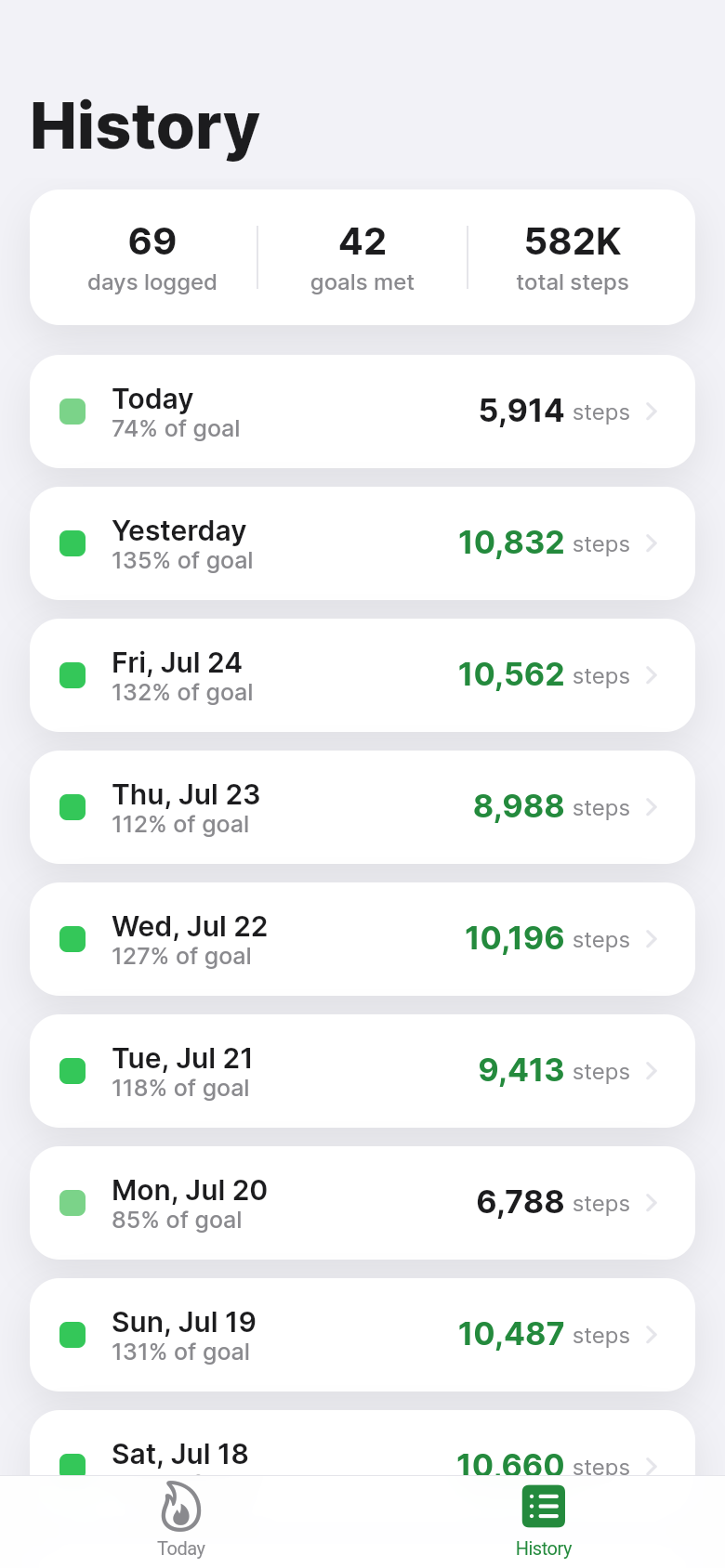
Step Streak ships with seeded data already in place, so the first screen you see isn't a blank grid asking you to imagine the future. It's a lived-in heatmap with a few weeks of history, a current streak, and a best streak. That small detail changes how the app feels from the moment you open it.
Logging a day takes about two taps
The core interaction is intentionally minimal. Tap the entry field, type your step count, tap confirm. The percent-of-goal appears immediately alongside the raw number, so you know at a glance whether today's a green square or a grey one. If your goal is 8,000 and you logged 6,200, the app shows 77%, not a judgment, just context.
You can adjust your daily goal any time from the settings, and the heatmap recalculates retroactively. Lower the bar during a recovery week, raise it when you're training for something. You can also go back and edit or delete any past day's entry, which matters if you forgot to log yesterday or fat-fingered a number. No entry is permanent, and the streak updates accordingly.
Everything lives on-device and works with no internet connection, no account, and no permissions beyond what you grant it. If you'd rather not hand your step data to a cloud service, this is the right fit.
The streak math is honest
A day counts toward your streak only if you logged a number that meets or beats your goal. Partial days don't carry over, and today's square stays neutral until you log. The current streak is the unbroken run of goal days ending on or immediately before today. The best streak is the longest such run in your history.
That 'or immediately before today' rule is worth noting: if it's 8 PM and you haven't logged yet, your streak doesn't break. It's still today. The app gives you the whole day, not a midnight penalty. Miss a day entirely and the current streak resets to zero, which is how it should work, because the point is building an honest record of consistency, not gaming a counter.
The combination of the two numbers, current and best, creates a simple goal even for people who aren't naturally goal-driven: beat your best streak. It gives the heatmap a story arc rather than just an accumulating archive.
Who this is for, and who it isn't
Step Streak is for people who want a lightweight accountability tool they control. If you already use Apple Health or a Garmin and you're happy with the data flowing automatically, this app adds nothing to your life. It's built for the person who prefers to punch in numbers manually, who finds wearable-sync overkill for a simple walking habit, or who just wants something that feels more like a journal than a dashboard.
It's also a good fit for habit-builders who've tried step apps before and quit because the blank state on day one felt discouraging, or because the app tried to do too much. Step Streak opens with a living heatmap and a clear streak, so the habit feels established from the start. Your job is just to keep it going.
The app doesn't count calories, doesn't offer coaching, doesn't send notifications, and doesn't ask for your age or weight. It tracks one thing: whether you hit your step goal today, and how many days in a row you've done that.
Built from a single idea in an afternoon
Step Streak started as a one-line description: a manual step log with a heatmap and a streak counter. The live demo you can tap above is the actual app that came out of that prompt, not a mockup. The heatmap renders real data, the streak updates when you log, and the goal adjustment recalculates the whole history. It's a working tool.
That's the point of Leanfinit: you describe the thing you want to exist, and we build it. No code required, no months of development, no compromise on the core idea. If you've had a tool rattling around in your head, one that solves a specific annoyance in your life, you can have a real version of it today.
39
files in the build
40.0 MB
app bundle
Flutter Web
runs in any browser
Have a tool idea of your own?
Step Streak started as a one-line idea. If you've got something you wish existed, describe it and we'll build the real, working app for you.