
coffee
Brew Dial: Pour-Over Coffee Ratios Without the Math
Stop doing coffee-to-water arithmetic every morning. Brew Dial computes your exact grams, bloom pour, and recipe in seconds, then logs each cup so you can repeat the good ones.
Artem
Founder
· 5 min read
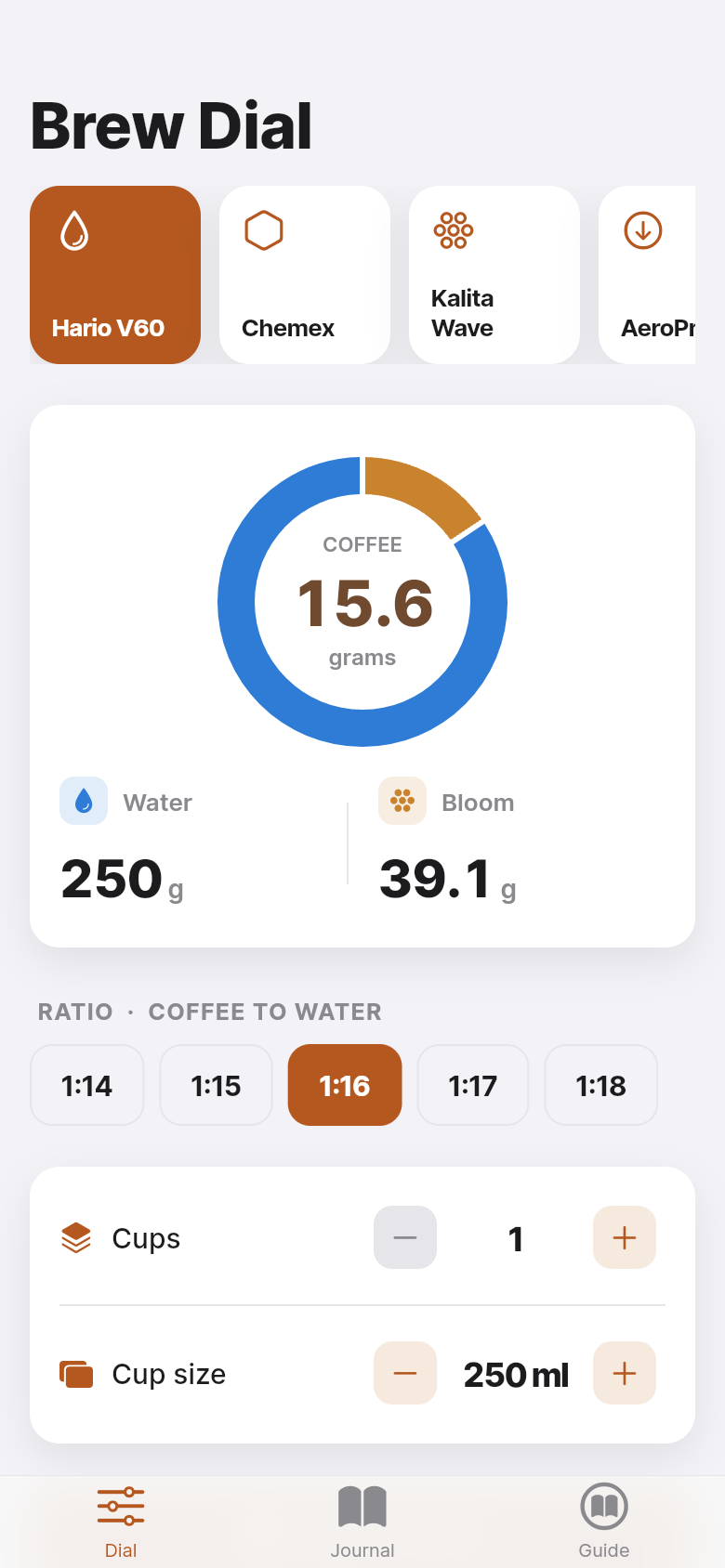
You already own a gram scale. You already know your preferred ratio is somewhere around 1:15 or 1:16. And yet, most mornings, you still find yourself dividing water weight by 15, rounding up, then trying to remember whether your bloom pour should be twice or three times the coffee weight. Brew Dial handles all of that instantly, so the only decision left is how hot to run your kettle.
The app was built around a single, honest insight from pour-over forums: people don't want a brew *guide*, they want a *calculator* that remembers their preferences. Tap your method, set the ratio, pick the number of cups, and every gram you need appears before your kettle finishes boiling. There's a live, interactive version embedded right here, so you can try it on your actual brew before you read another word.
Live demo
The problem with mental math at 6 a.m.
Pour-over coffee is precise by nature. The ratio, the bloom, the total water, the grind, the pour rate, all of it affects the final cup. Most experienced home brewers have internalized a preferred ratio, say 1:16, but converting that to grams for a different vessel or a different number of cups requires arithmetic that's easy to fumble half-awake.
The downstream cost is inconsistency. You nail a cup on Saturday, jot the ratio in your notes app, and by Tuesday you've scaled it slightly wrong and the cup is flat. Brew Dial closes that loop: type in your numbers once, let the app do the division, and get the exact same extraction every time.
How the calculator works
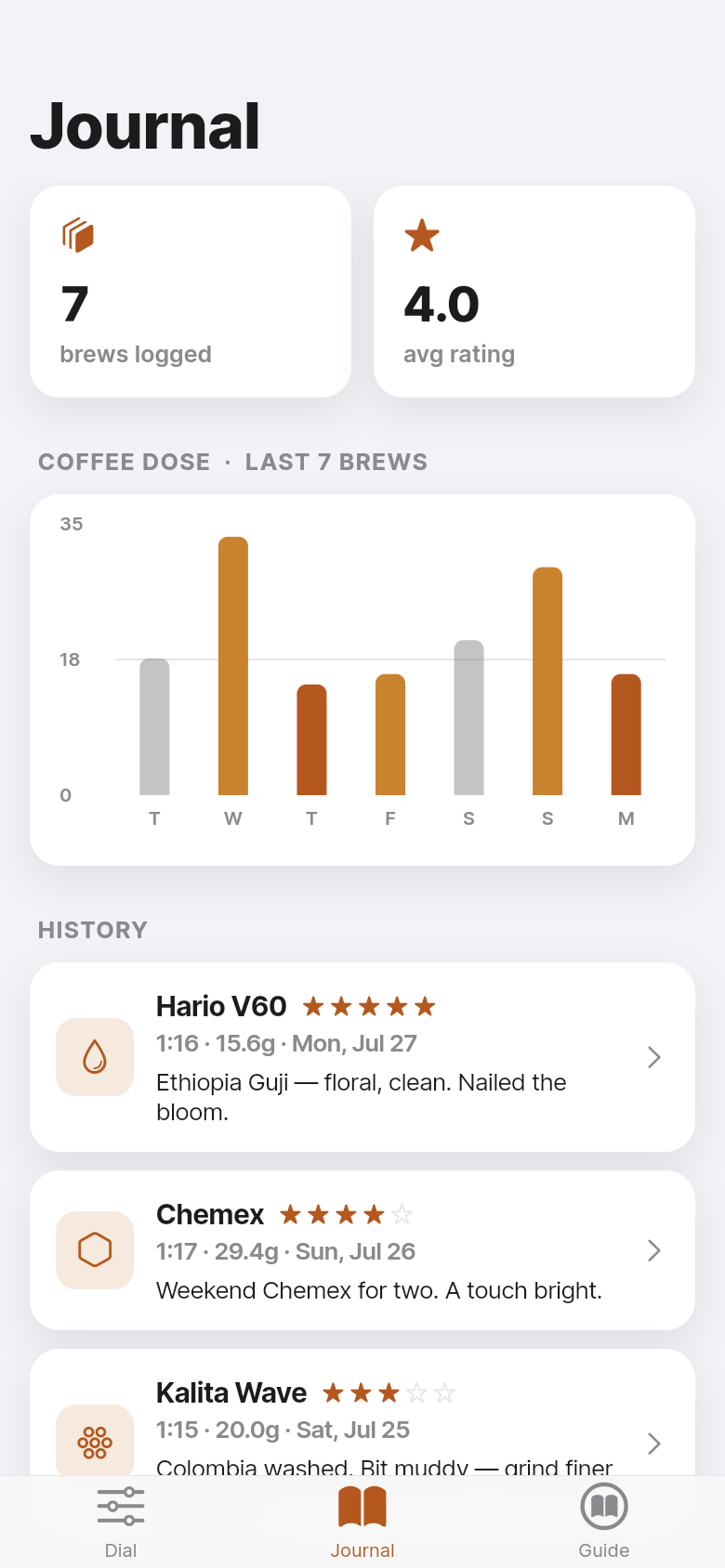
The core screen is a dial, not a form. You choose your brew method, V60, Chemex, Kalita Wave, or AeroPress, and the app loads sensible defaults for that method: a 1:15 ratio for AeroPress, 1:17 for Chemex, each with a bloom multiplier that matches the way those methods are commonly taught. You can override any number directly.
Set your cup count and cup size (in milliliters, so the math stays exact), and the app immediately shows you three numbers: grams of coffee, grams of bloom water, and total grams of brew water. The bloom figure is always the coffee weight multiplied by your chosen multiplier, typically 2x to 3x, which is the standard technique for degassing fresh beans before the main pour.
Everything works offline. There's no account, no sync, no paywall. Your last dial settings are saved between sessions, so the next morning you open the app and your recipe is already waiting.
Logging brews and finding patterns
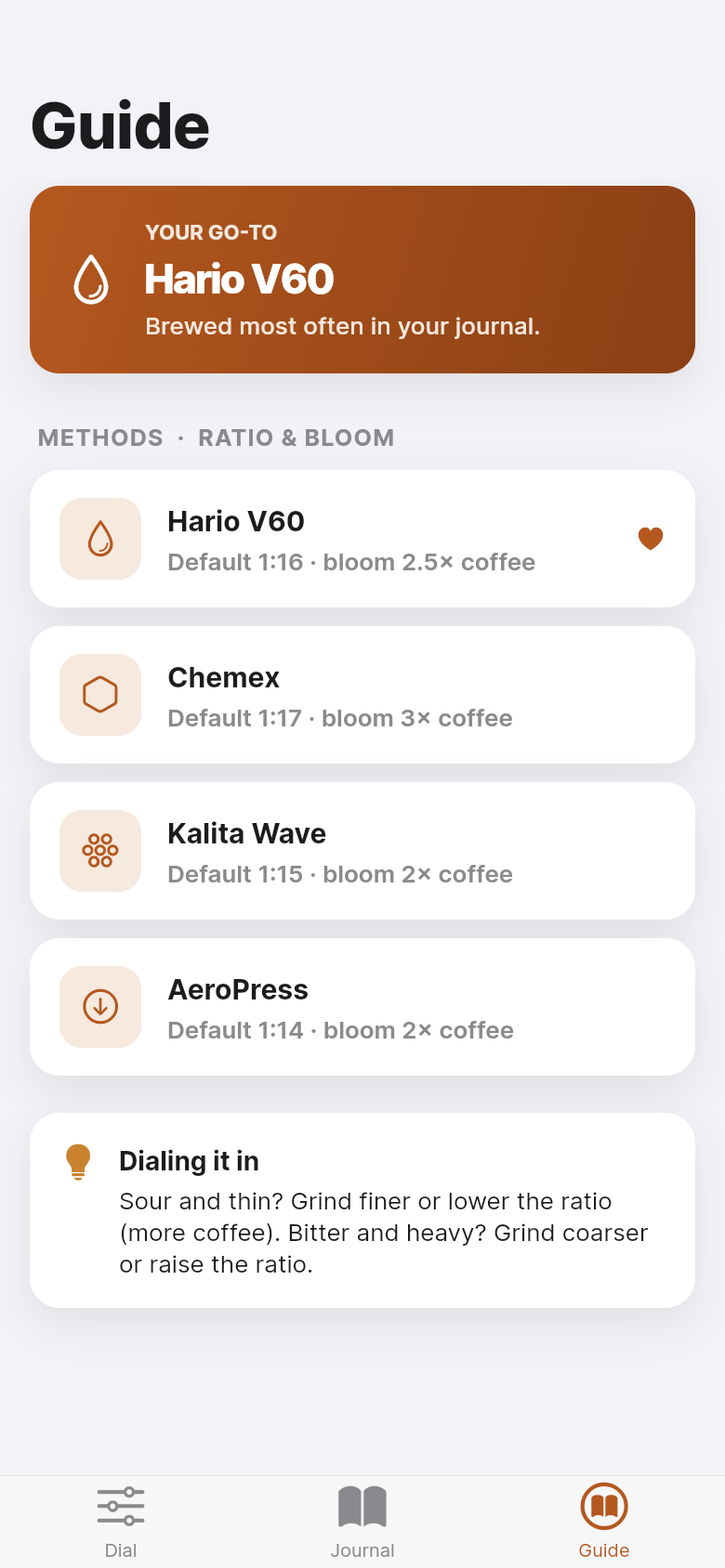
The second tab is a brew journal. After you pour, you can log the session with a taste rating and a short note, 'slightly sour, try coarser grind' or 'best cup this week.' The journal accumulates over time into a browsable history you can scroll through.
This is where Brew Dial earns its place alongside your scale and kettle. Brew journals in notebooks or notes apps require you to write out the recipe manually each time. Here, the recipe is already on screen when you log, so the note is just the part you can't compute, your sensory reaction. Over a few weeks, patterns emerge: which ratio consistently produces the cup you like, which grind note correlates with better extraction, which method works best with the beans you're currently buying.
It's a small feedback loop, but it's the one serious home brewers already try to maintain manually. The app just makes it frictionless enough to actually stick to.
Presets built for real methods, not generic coffee
Each method preset in Brew Dial reflects how that brewer actually behaves. V60 drains fast and rewards a longer bloom at roughly 2x coffee weight. Chemex has a thicker filter and benefits from a slightly lower ratio and a generous bloom. Kalita Wave is more forgiving and works well in the 1:15 to 1:16 range. AeroPress is compressed and concentrated, so 1:12 to 1:15 is typical depending on whether you're pulling a concentrate or a full cup.
These aren't arbitrary numbers. They match the starting points published in well-known brew guides and refined across years of forum discussion. If your preferred ratio differs, you can adjust the slider and the app remembers your override for that method. The presets give you a reliable starting point; your journal gives you the data to refine from there.
Built from an idea in a single session
Brew Dial started as a one-line description: a pour-over calculator that handles the ratio math and logs the results. That idea became a working iOS app, with a native-feeling interface, tab navigation, persistent storage, and real method presets, without months of development. The app you see embedded in this article is the real thing, not a mockup.
That's the point of tools like this. A niche utility that solves one specific problem for one specific type of person doesn't need to be a startup. It needs to be well-designed, honest about what it does, and ready to use. Brew Dial is all three. If you have a problem that follows the same shape, a daily manual calculation, a habit you want to track, a reference you constantly look up, you can build your own version of this just as quickly.
39
files in the build
40.1 MB
app bundle
Flutter Web
runs in any browser
Have an idea for your own tool?
Brew Dial started as a one-line description of a problem. If you have a daily friction point that deserves its own app, you can describe it and have something real to try the same day.