
food and drink
Spice Shelf: Finally Know What's in Your Spice Rack
A visual inventory app that shows every jar's fullness at a glance, surfaces your restock list before you shop, and saves you from the empty-cumin moment.
Artem
Founder
· 5 min read
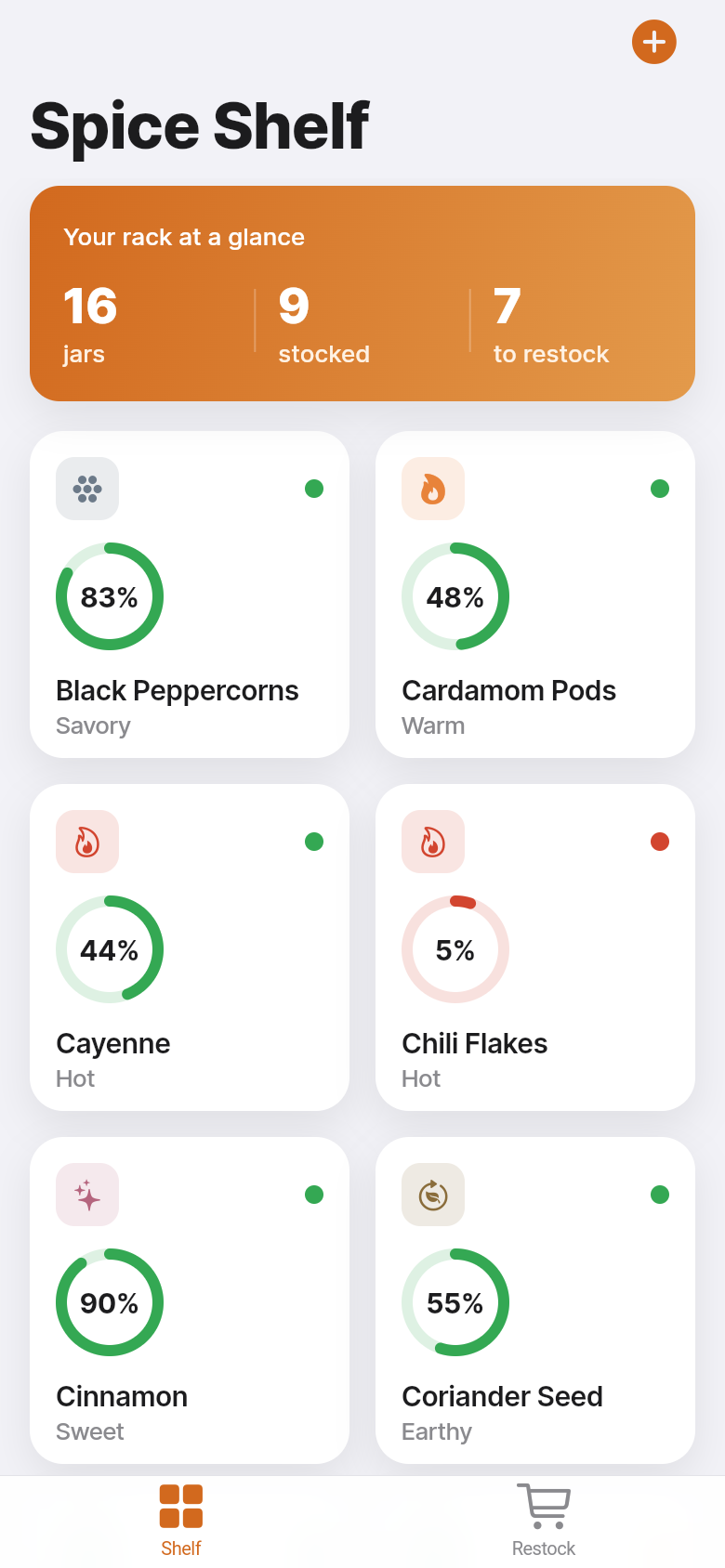
You're ten minutes into a recipe when you reach for the cumin and shake the jar. Empty. Not low, not almost-done, just gone. You either improvise, abandon the dish, or make an unplanned grocery run for a single spice you probably bought three months ago. It's a small frustration, but it happens to almost every home cook, and it's completely preventable.
Spice Shelf is a focused little app built around one idea: you should be able to see the state of your entire spice rack in five seconds. Not by scanning barcodes or creating an account, but by glancing at a grid of jars that tells you, visually, what's full, what's getting low, and what to grab next time you're at the store. Try it in the demo below, or keep reading to see how it's put together.
Live demo
The grid that replaces the mental checklist
The main view is a grid of every spice you own. Each jar shows its name and a fullness indicator, so the difference between a half-full bottle of smoked paprika and an almost-empty one is visible without tapping anything. You're not reading numbers or percentages, you're reading shape, which is faster.
The app opens with believable sample data already in place, so you're never staring at an empty screen wondering what to do. You can start adjusting jars to match your actual rack right away. Add a spice you keep, remove one you don't, dial the fullness up or down with a couple of taps. The edit flow is intentionally minimal, because the goal is to spend thirty seconds updating the app, not thirty minutes setting it up.
Go ahead and tap a jar in the demo. You'll see how fast it is to adjust the level. That speed matters, because a tracker you won't update is useless inside a week.
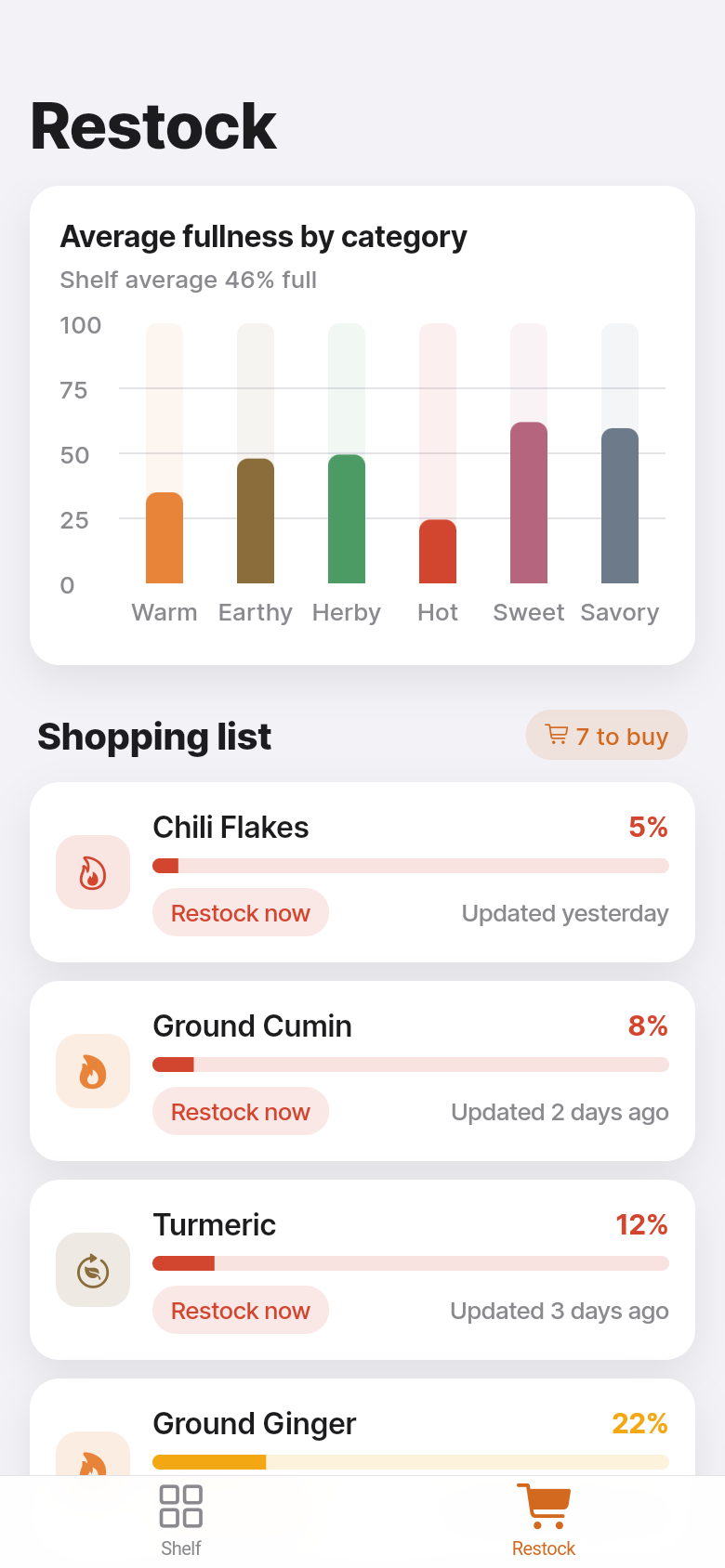
Your restock list, already sorted
The shopping list view does one thing well: it shows you what's running low, with the emptiest jars at the top. There's no priority system to configure, no tags to assign. If your cumin is nearly out and your coriander is a quarter full, cumin shows up first. You can screenshot this list before you leave for the store, or just pull up the app in the spice aisle.
This matters more than it sounds. The reason people end up with four jars of garlic powder isn't because they forget garlic powder exists, it's because they couldn't remember whether the jar at home was half full or basically done. A sorted restock list removes that uncertainty. You stop buying duplicates and you stop running out of things mid-recipe.
The list updates the moment you adjust a jar's fullness, so it always reflects your current situation. No syncing, no cloud account required, everything lives on your device.
Category view: spotting the gaps you didn't know you had
Most spice racks have an informal structure even if you've never consciously organized them: baking spices, warming spices, dried herbs, heat. The category overview in Spice Shelf groups your jars the same way and gives you a quick read on where the gaps are.
It's useful in a way that's easy to miss until you see it. You might notice your baking section looks healthy but your warming spices are almost all low, which makes sense once you remember you've been cooking a lot of curries lately and haven't restocked. Seeing the pattern is harder when you're looking at an alphabetical list; it's obvious when you're looking at grouped fullness.
Why simple wins in the kitchen
There are general pantry apps that track everything, require barcode scanning, need an account, and produce reports on your household inventory. They're built for people who want to manage their pantry like a spreadsheet. Most home cooks don't want that. They want to know if they have enough thyme before they start cooking on a Tuesday night.
Spice Shelf is deliberately narrow. It tracks one thing, shows it clearly, and stays out of the way. No account means it opens immediately. No barcode scanning means you set it up while your coffee is brewing. Offline-first means it works in a basement kitchen or a rural rental with no signal. The app was built quickly from a single clear idea, and that focus shows in how little friction there is between opening it and knowing what you need.
Getting started in under a minute
Open the app and you'll see a sample rack already populated with common spices. Work through the grid and adjust each jar's fullness to match what's actually on your shelf. Add anything that's missing, remove anything you don't keep. The whole setup takes about the same time as making a cup of tea.
From that point on, the habit is simple: when you use up a spice or crack open a new jar, open the app and update the level. It takes five seconds. In return, your restock list is always accurate, you stop buying duplicates, and you never reach for an empty jar mid-recipe again.
39
files in the build
40.2 MB
app bundle
Flutter Web
runs in any browser
Have your own kitchen problem to solve?
Spice Shelf started as a one-line idea and became a working app in minutes. If there's a small, specific tool you wish existed for your kitchen, your hobby, or your work, you can build it the same way.