
education
Osvaldo Birdcalls: A Patagonian Field Guide's Secret Weapon
A bilingual flashcard drill for the 22 birds of El Chaltén, pairing each call with its Spanish and Mapudungun name — built for one apprentice, one exam, one deadline.
Artem
Founder
· 5 min read
Every Saturday morning in El Chaltén, a maté cup cools on the table while Osvaldo quizzes his grandson on birdcalls. Not just the common names — the Mapudungun names too. Mañke, the condor. Traru, the crested caracara. Chukaw, the chucao tapaculo that announces itself from the lenga beech before you ever see it. The guide certification on the 30th requires naming all 22 regional species by sound, in two languages, and the Mapudungun register is where the gaps show.
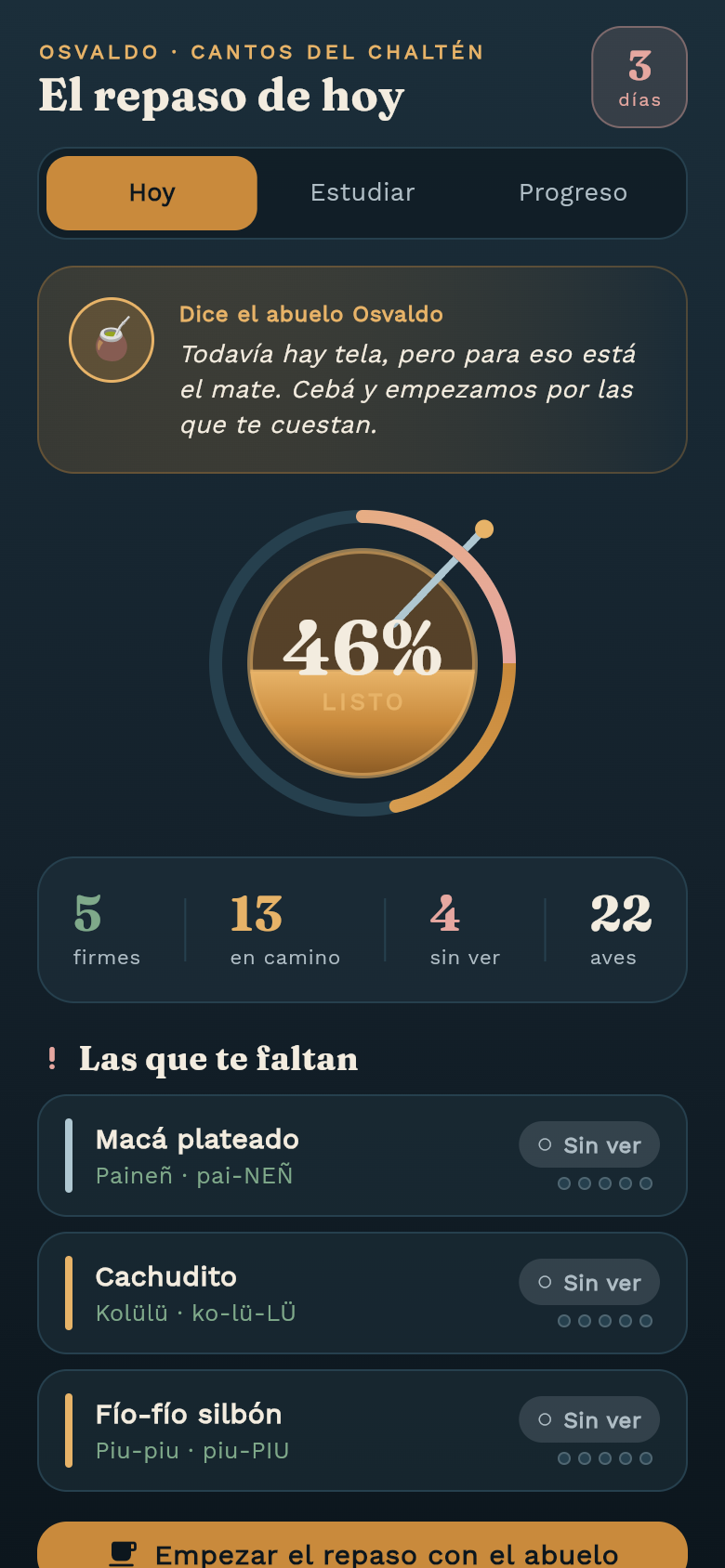
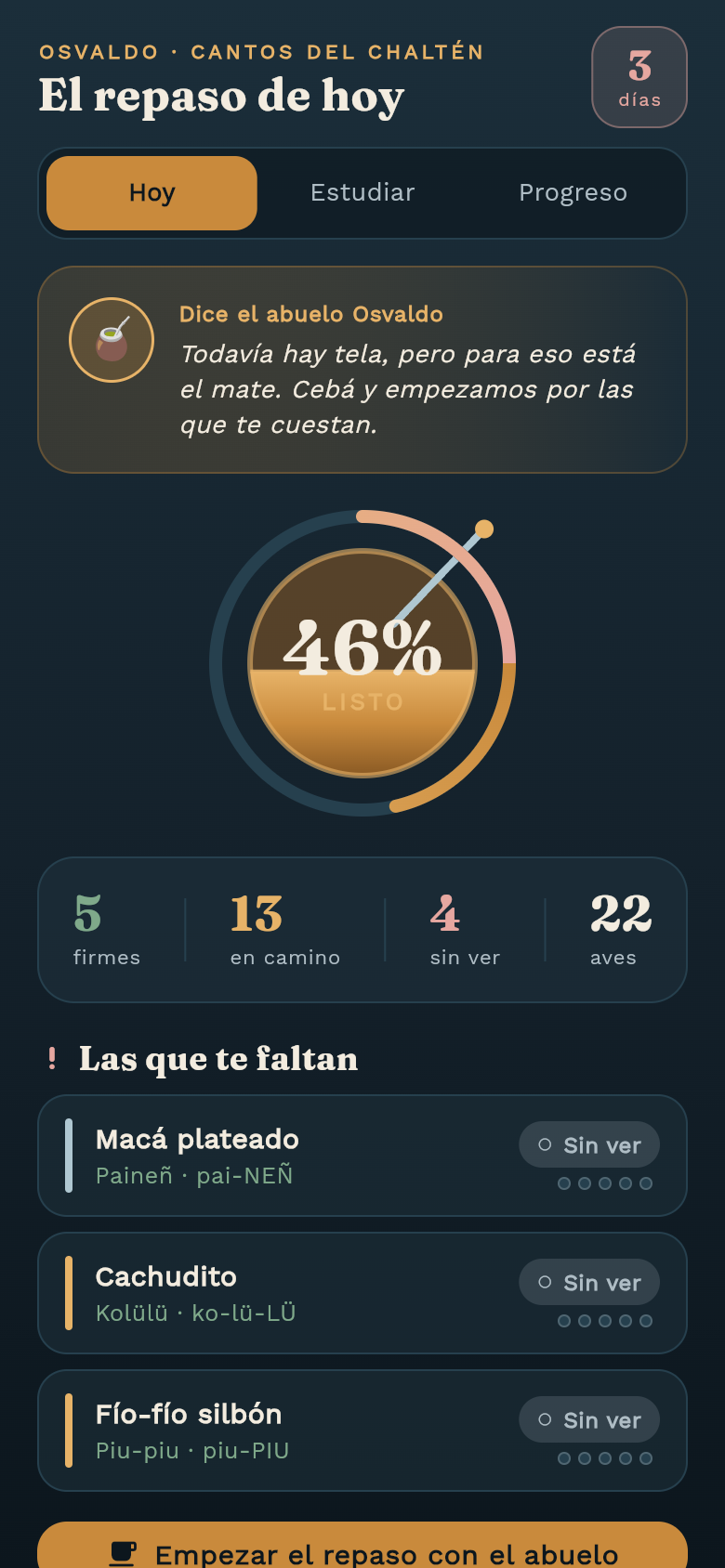
Osvaldo Birdcalls is a self-contained study deck built for exactly that situation. It opens already loaded with all 22 birds seeded mid-study, works completely offline, and keeps score the way a teacher would — not just right or wrong, but firme, casi, or todavía. Try the live demo in the frame above: flip a card, hear the logic, see how the weakest calls surface to the top of the queue.
Live demo
The problem with generic flashcard apps
Most flashcard tools start empty. You build the deck yourself, wrestle with import formats, and spend your first study session doing data entry instead of learning. That is a fine trade-off when you have weeks. When the certification is in four days and Osvaldo is already pulling on his boots, it is not.
There is also a language gap. Every major spaced-repetition platform knows Spanish. None of them have a ready-made corpus of Mapudungun bird names with pronunciation guides. The Indigenous vocabulary — mañke, choike, traru, chukaw — is the register that stalls most apprentices, yet it is also the register most likely to come up in the oral exam. A generic tool cannot weight those cards higher or flag them as the ones to drill before the others.
How the deck is structured
Each card puts the birdcall prompt first. You hear (or read the call description) and have to retrieve the name before flipping. The reverse of the usual picture-first flow is deliberate: the certification exam is call-first, and retrieval practice should mirror the actual test condition as closely as possible.
The flip side shows both names together — Spanish on top, Mapudungun below with a phonetic pronunciation guide — so you absorb the pairing in one glance rather than studying them as separate facts. After you flip, Osvaldo (or whoever is running the session) marks the attempt: firme means solid and the card sinks down the queue, casi means close and it comes back in a few rounds, todavía means not yet and it resurfaces almost immediately.
The app tracks a per-card mastery ladder so progress is visible at a glance. The readiness summary at the top counts down to the 30th and shows which cards are still in the todavía column — those are the ones to spend the last maté break on.
Why the Mapudungun cards get extra weight
The weighting system is not symmetric. Spanish names for Patagonian birds follow patterns most Spanish speakers can lean on — they are often descriptive (cauquén colorado, pato de los torrentes) and already half-familiar from field guides. Mapudungun names carry none of that scaffolding. Mañke sounds nothing like condor. Chukaw gives no hint of the chucao tapaculo. The deck knows this and treats any card with a Mapudungun name as a priority recall item from the first session onward.
That asymmetry matters because it reflects where exam candidates actually stall. A tool that treats every card identically gives you false confidence: you can drill the Spanish names to fluency in an afternoon, show green across the board, and still go blank on chukaw when the examiner plays the tapaculo call.
Built for outdoors, maté breaks, and no signal
El Chaltén sits at the edge of Los Glaciares National Park. Connectivity is real but patchy, and field study happens wherever the birds are — not at a desk with reliable Wi-Fi. Osvaldo Birdcalls stores everything locally from the first launch. No account, no sync requirement, no loading spinner at the wrong moment. Open it on a rocky overlook with zero bars and the full deck is there, progress intact from the last session.
The interface is also fast to pick up and put down. A maté break might be ten minutes. The app opens to the deck immediately, not to an onboarding flow. One tap starts the next card. This sounds like a small thing until you have tried to squeeze a study session into the gap between a trail briefing and the afternoon group.
From one idea to a working tool
The idea behind Osvaldo Birdcalls is narrow on purpose. It does not try to be a complete Patagonian birding encyclopedia or a general-purpose language tutor. It solves one specific problem for one specific person in one specific situation — and because the scope is tight, everything in the app earns its place.
That specificity is also what makes it a useful model for any study tool you might need. A closed set of facts, a deadline, a particular vocabulary register that needs extra attention: those constraints translate directly into a flashcard deck with weighted review. The app in the frame above was built quickly from a description of that problem. If you have your own version of the 30th looming — a licensing exam, a language certification, a species list you need cold — you can describe it the same way.
39
files in the build
40.5 MB
app bundle
Flutter Web
runs in any browser
Build your own study deck
Describe your exam, your deadline, and the vocabulary that keeps tripping you up. Leanfinit turns that into a working, offline-ready flashcard tool — specific to your material, ready to use.