
finance
Payday Split: Give Every Dollar a Job in 30 Seconds
A simple paycheck allocator that applies the 50/30/20 rule the moment your deposit lands, so money goes where you planned, not wherever it drifts.
Artem
Founder
· 5 min read
Payday feels like a fresh start until Tuesday, when you check your balance and wonder where a third of it went. The problem isn't willpower, it's timing. If you don't assign money a destination the moment it arrives, it finds one on its own, usually coffee runs and impulse buys. Payday Split fixes exactly that window.
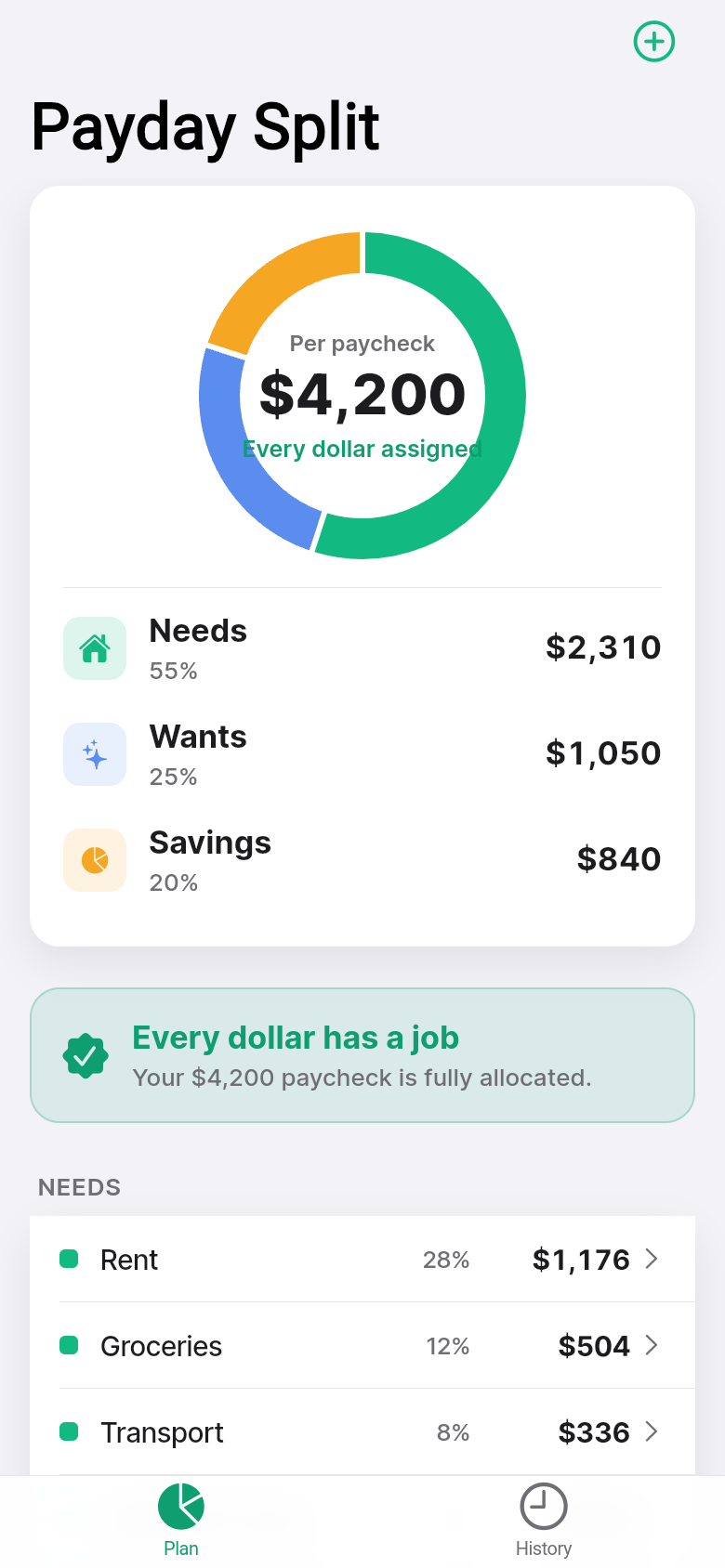
Open the app when your deposit clears, type your net pay, and in under a minute you'll see your check divided into Needs, Wants, and Savings, each with a dollar amount and a percentage you control. The donut chart fills in as you type. If you hit 101%, it tells you. If you only assign 90%, it tells you that too. Then you log it, and it's done.
Live demo
Why percentage budgets fail before apps like this existed
The 50/30/20 rule is genuinely good advice: half your take-home for rent, groceries, and bills; 30% for things you want; 20% toward savings or debt. It's simple enough to explain in a sentence. The failure point is always the arithmetic. You get paid, you mentally commit to the plan, then you buy something small, then something else, and by the time you notice you're off-track the money is already gone.
Full budgeting apps solve this by linking to your bank and categorizing every transaction after the fact. That's powerful, but it's also a lot of setup for someone who just wants to know: if I made $2,400 this paycheck, how much is 20% of that, and did I actually move it to savings? Payday Split skips the bank link and the transaction ledger entirely. It only asks one question at a time.
How the allocation screen actually works
The live demo embedded in this article starts with sample data so you're never staring at a blank screen. Tap into any allocation line, say Savings, and adjust the percentage. Watch the donut chart respond immediately and the dollar amount recalculate. The app tracks whether your percentages add up to exactly 100%, showing an Unassigned remainder in grey when you're under or an Overcommitted warning in red when you've gone over.
You can add your own categories beyond the three defaults. If you want a dedicated Rent line separate from general Needs, or a Travel fund that sits alongside Savings, the plus button on the allocation list opens a native sheet where you name the bucket and set its cut. Delete lines by swiping. The constraint the app enforces, gently but visibly, is that every dollar must be accounted for.
When you're satisfied with the split, you log the paycheck. That's the action that commits it to history. Your current allocation becomes a permanent record tied to that pay period, not just a calculator result you'll forget.
Reading your pay history at a glance
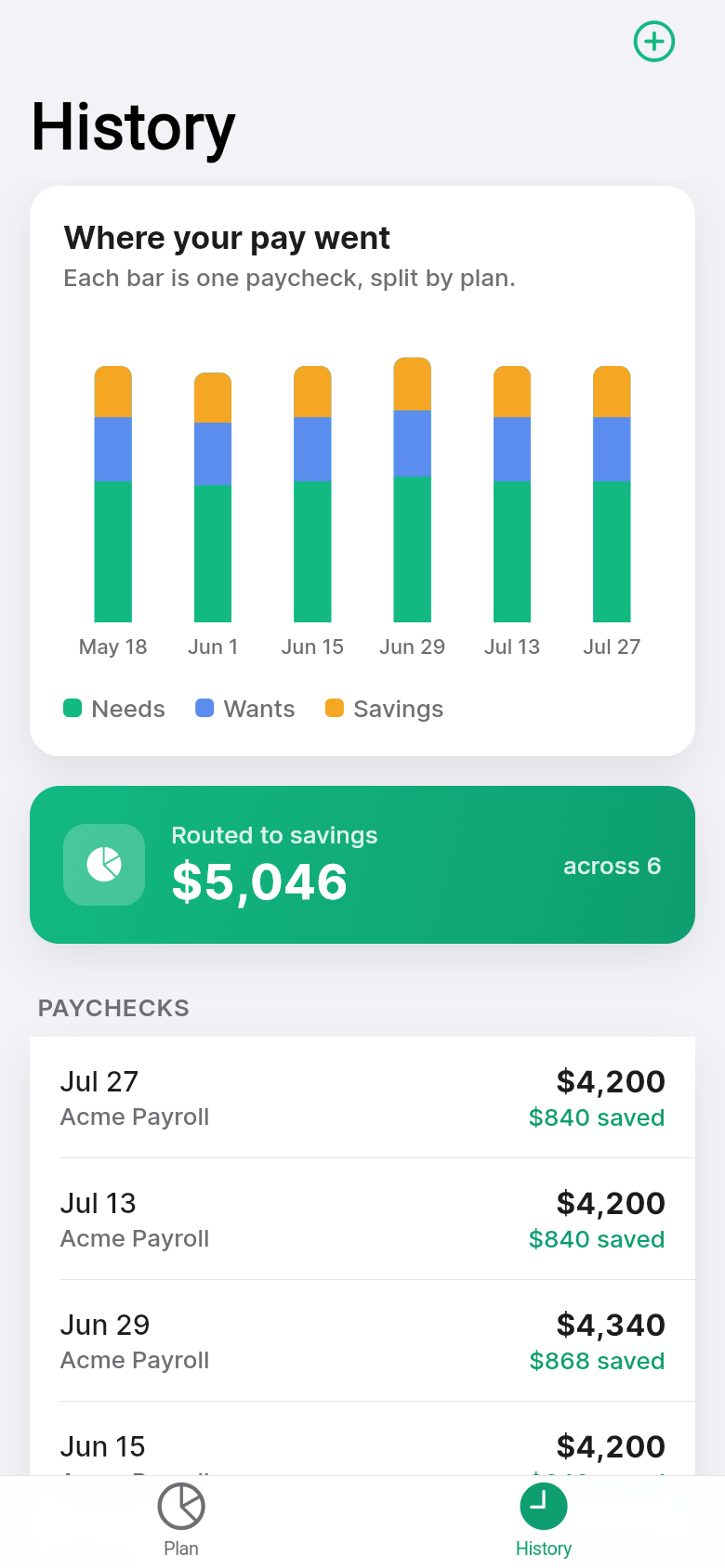
Below the allocation view, a stacked bar chart shows the last several paychecks, each bar segmented by category. You don't need to squint at numbers to see a pattern: a month where Wants crept up relative to Savings is visible as a shape change, a wider yellow band, before you've processed a single figure.
The seeded history in the demo is realistic enough to be readable without being toy data. Scroll through it in the embedded app and you'll see what a few months of consistent budgeting looks like, and also what a slip looks like. The point isn't to judge the past, it's to give you a reference when you sit down on the next payday.
Who will get the most out of this
If you've tried YNAB or similar tools and found them exhausting to maintain, Payday Split is deliberately smaller in scope. It doesn't know about your credit card purchases or your Netflix charge. It only knows what you decided to do with your paycheck before any of that happened. That framing, allocation before spending rather than categorization after, is the core habit the app is trying to build.
Hourly workers with variable pay get value here too. The paycheck amount is just a field you type, so if one period was $1,850 and the next is $2,100 because you picked up extra shifts, you log each one at its actual amount and the percentages stay consistent. The history chart shows both the absolute split and the relative one, so you can compare lean months to good ones without recalculating anything.
Give the live app above a try: change the Savings percentage to 25%, add a custom category, then tap through to the history view. The interaction takes about ninety seconds and shows the full loop the real app runs on iOS.
Built from a single idea, ready to use the same day
Payday Split started as a one-line description: a paycheck splitter that applies the 50/30/20 rule and keeps history. From that, a working iOS app with a donut chart, a bar chart, a full allocation editor, and offline persistence was built in a single session. No backend, no accounts, no permissions needed beyond the device itself.
That kind of scope, small enough to open without a tutorial, opinionated enough to actually guide behavior, is exactly where tools like this earn their place. Not every financial decision needs an institution involved. Some of them just need a moment of attention on payday.
39
files in the build
40.1 MB
app bundle
Flutter Web
runs in any browser
Have a tool idea sitting in your head?
If there's a small, specific problem you keep solving by hand, a spreadsheet you've rebuilt three times, a calculator you wish existed, you can turn that idea into a real working app. No code required, no waiting.