
home maintenance
Season Switch: A Simple Checklist for Seasonal Home Upkeep
Stop rediscovering the same forgotten chores every spring and autumn. Season Switch keeps your seasonal home maintenance in one tidy, offline list.
Artem
Founder
· 5 min read
Every autumn, roughly the same week the heating clicks on, someone in your household remembers the gutters need clearing, the boiler hasn't been serviced, and the draught-proofing tape from three years ago is hanging off the back door. Every spring, the same vague guilt about not having bled the radiators before winter. These are not hard jobs. They are just easy to forget because they happen once or twice a year and there has never been one place to keep the list.
Season Switch is a small, focused app built around that exact problem. It groups your routine home-maintenance tasks by the four seasons, ships with a sensible default checklist so you are not starting from scratch, and lives entirely on your device with no account required. Try the live version embedded below, then read on for how it works.
Live demo
Why a dedicated app instead of a notes file
Most people handle seasonal chores one of three ways: a note buried in a phone app, a PDF from an insurer that gets bookmarked and forgotten, or nothing at all until something breaks. Generic to-do apps don't group tasks by season, so every October you are rebuilding the same list from memory, and every list is slightly different from last year's.
Season Switch does one thing well: it organises your home upkeep around the calendar year rather than around projects or priorities. Open the app in any season and you see exactly what belongs to that period, how much of it you have done, and what is still waiting. The other three seasons are right there too, so you can tick off tasks early or review what you skipped last time.
What's in the box when you first open it
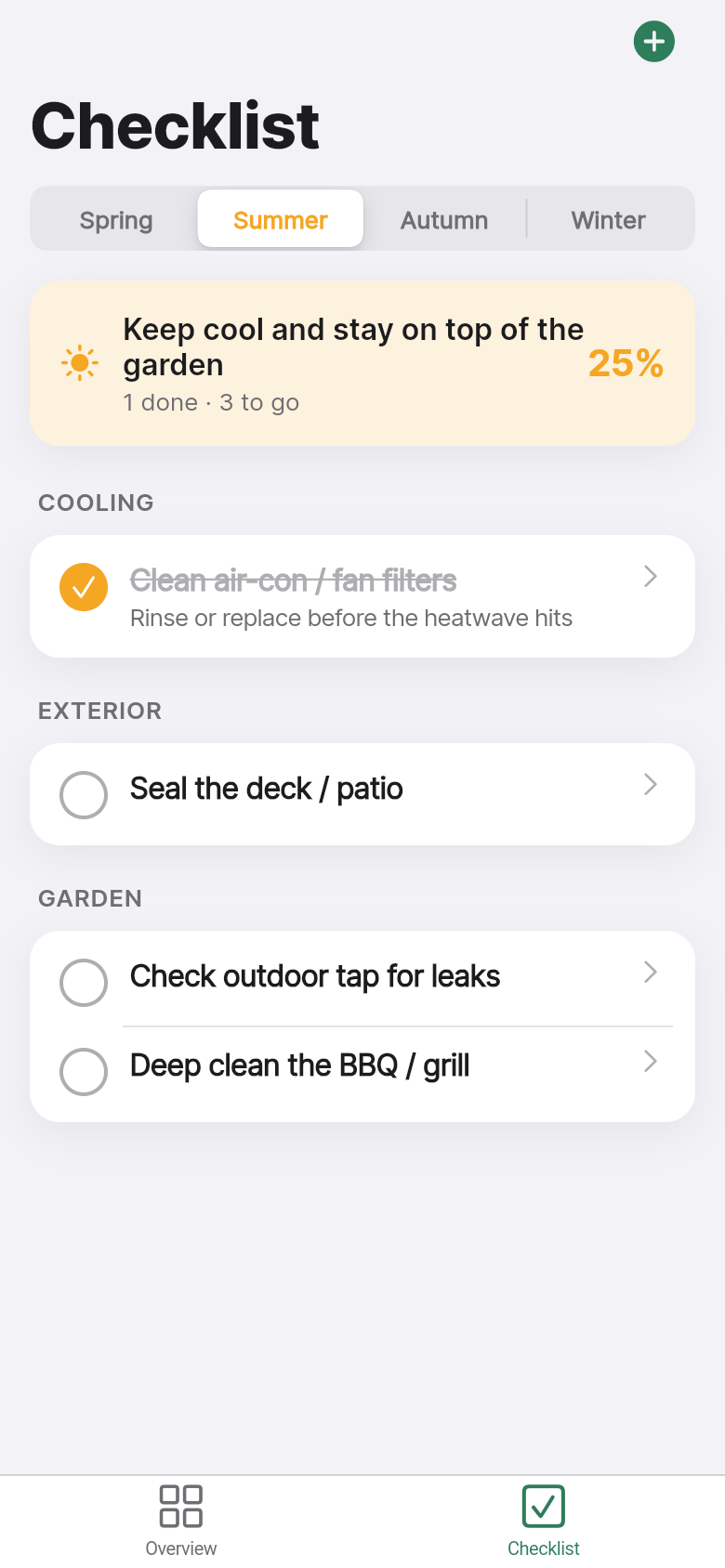
The app opens on the current season with a pre-loaded checklist already in place. Spring brings the usual suspects: check smoke alarms, clean the extractor fan filter, inspect the roof after winter, flush the hot water tank. Autumn swaps in bleed radiators, service the boiler, lag exposed pipes, clear the gutters. The defaults are deliberately ordinary, the things that come up repeatedly on home-improvement forums precisely because they are easy to forget and occasionally expensive to neglect.
You are not locked into those defaults. Tap any task to tick it off, swipe or tap to delete it, or add your own alongside the standards. If your house has a wood burner, add a chimney sweep reminder. If you rent and the landlord handles the boiler, delete that row. The list is yours within about thirty seconds of opening the app for the first time.
The progress view and what the donut actually tells you
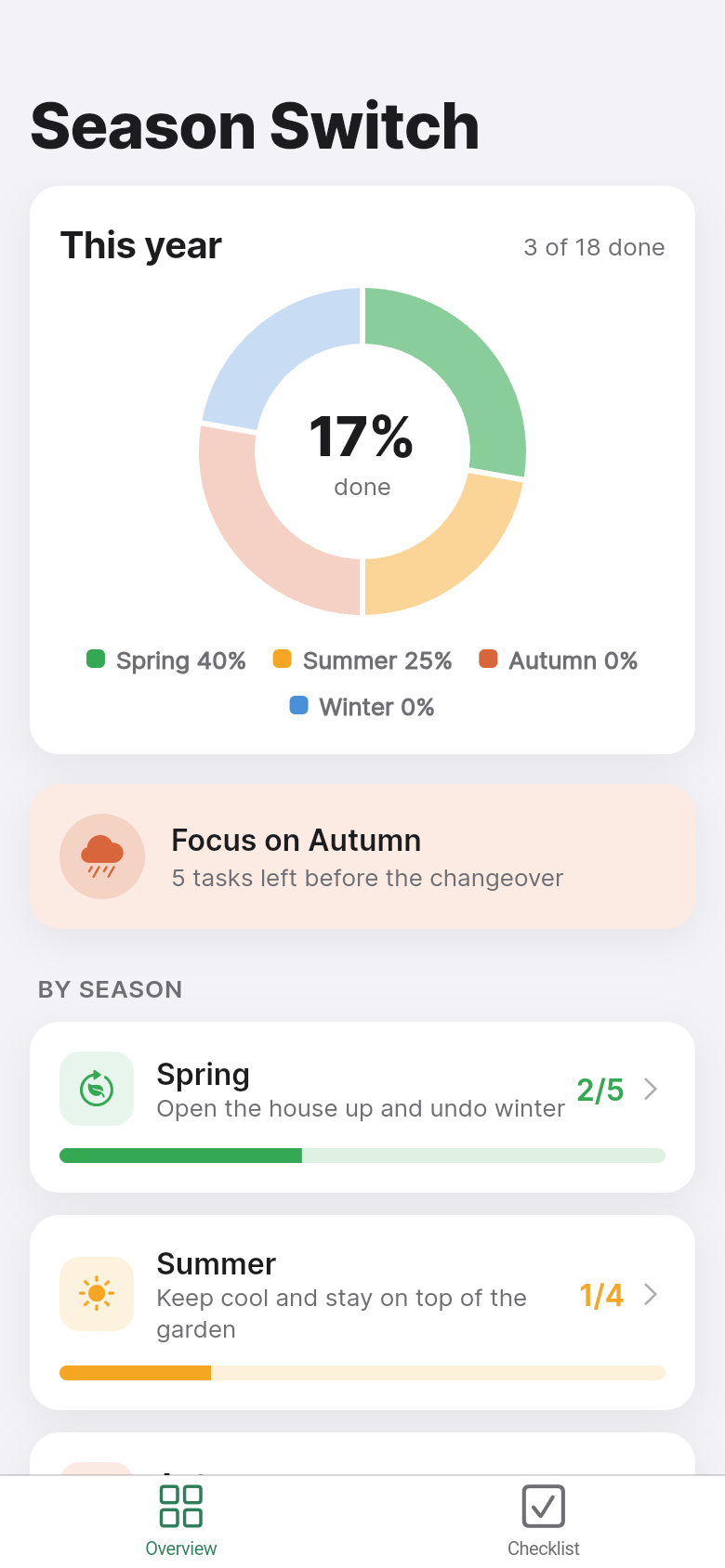
At the top of each season sits a completion ring showing how many tasks you have ticked off versus how many remain. It is not there to gamify the experience; it is there so you can answer the question 'am I roughly on top of things?' without counting rows. A half-full ring in late October means you have probably done the obvious stuff but might not have got to the gutters yet.
Below the ring is a short focus nudge, a single line pointing you toward the next open task in the current season. It is a small touch, but it is the difference between opening the app and feeling like you know what to do next, versus opening it and scrolling to work out where you left off. The yearly summary shows all four seasons at once so you can see at a glance whether last winter's list was actually finished or just abandoned.
Offline by design, no account needed
Everything you add, tick, or edit is saved locally on the device. There is no sign-up screen, no subscription prompt, no sync to a server. The tradeoff is that your list lives on one device, but for a home maintenance checklist that is usually fine. The phone you carry is the same one you check while standing on a ladder wondering whether you already did the gutters or just thought about doing the gutters.
This also means the app works in the basement with no signal, in the loft while you are checking insulation, or in the garden while you are assessing what needs doing before the first frost. It opens in under a second because there is nothing to fetch.
Who gets the most out of it
Season Switch is most useful for people who own or rent a home long-term and have started to accumulate the kind of recurring maintenance that doesn't fit neatly into a project but also doesn't happen often enough to remember reliably. First-time buyers are a natural fit; the default checklist alone is worth having in the first couple of years when you are still learning what the house needs and when.
It is also useful for anyone who has tried keeping a seasonal list in a notes app and found themselves rewriting it from scratch each year. The app preserves your edits and tick states across seasons, so next autumn you open the same list you refined last autumn rather than starting over. The app is not trying to manage your full home, track warranties, or schedule contractors. It is just the recurring checklist you have always meant to keep, finally in one place.
39
files in the build
40.1 MB
app bundle
Flutter Web
runs in any browser
Got a simple tool you have always meant to build?
Season Switch went from a one-line idea to a working, interactive app in one session. If there is a checklist, tracker, or small utility you keep building in your head, you can turn it into a real app the same way.