
meal planning
Dinner Board: Plan the Whole Week in One View
A simple drag-and-drop board that shows all seven dinners at once, so the 5pm 'what's for dinner?' panic stops before it starts.
Artem
Founder
· 4 min read
It's 5:15pm. You're tired, slightly hungry, and someone just asked the question. You open the fridge, stare at it for thirty seconds, and close it again. Not because the food isn't there, but because you never decided. That small daily moment of friction adds up, and it's almost never about a shortage of ideas, it's about not having made the call in advance.
Dinner Board is a single-screen tool that lays out the whole week so you can make those calls once, on Sunday or whenever you have two calm minutes, and then just follow the plan. No recipes to save, no grocery integration, no account. Just seven slots and your dinners.
Live demo
One board, seven nights, nothing else
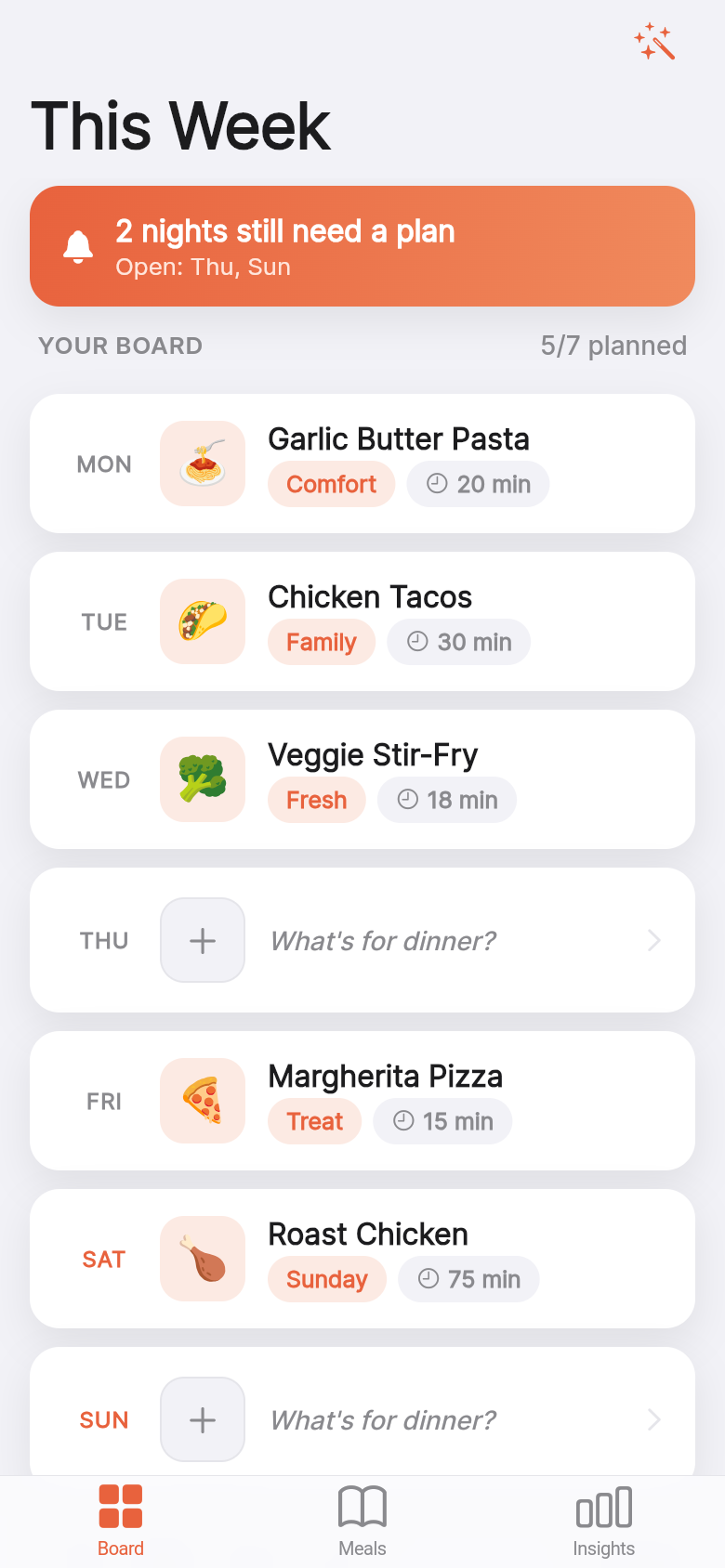
The app opens to a full-week view. Monday through Sunday, each day showing whatever dinner is planned or a clear signal that the slot is still open. That visibility is the whole product. When you can see the entire week at once, the unplanned nights become obvious rather than forgotten, and filling them in feels like completing a small puzzle rather than making a high-stakes decision while hungry.
The board comes seeded with a mostly-planned week so you're not staring at an empty screen. That matters more than it sounds. A blank planner is easy to close and come back to never. A nearly-done board is easy to finish in thirty seconds.
Drag, tap, done
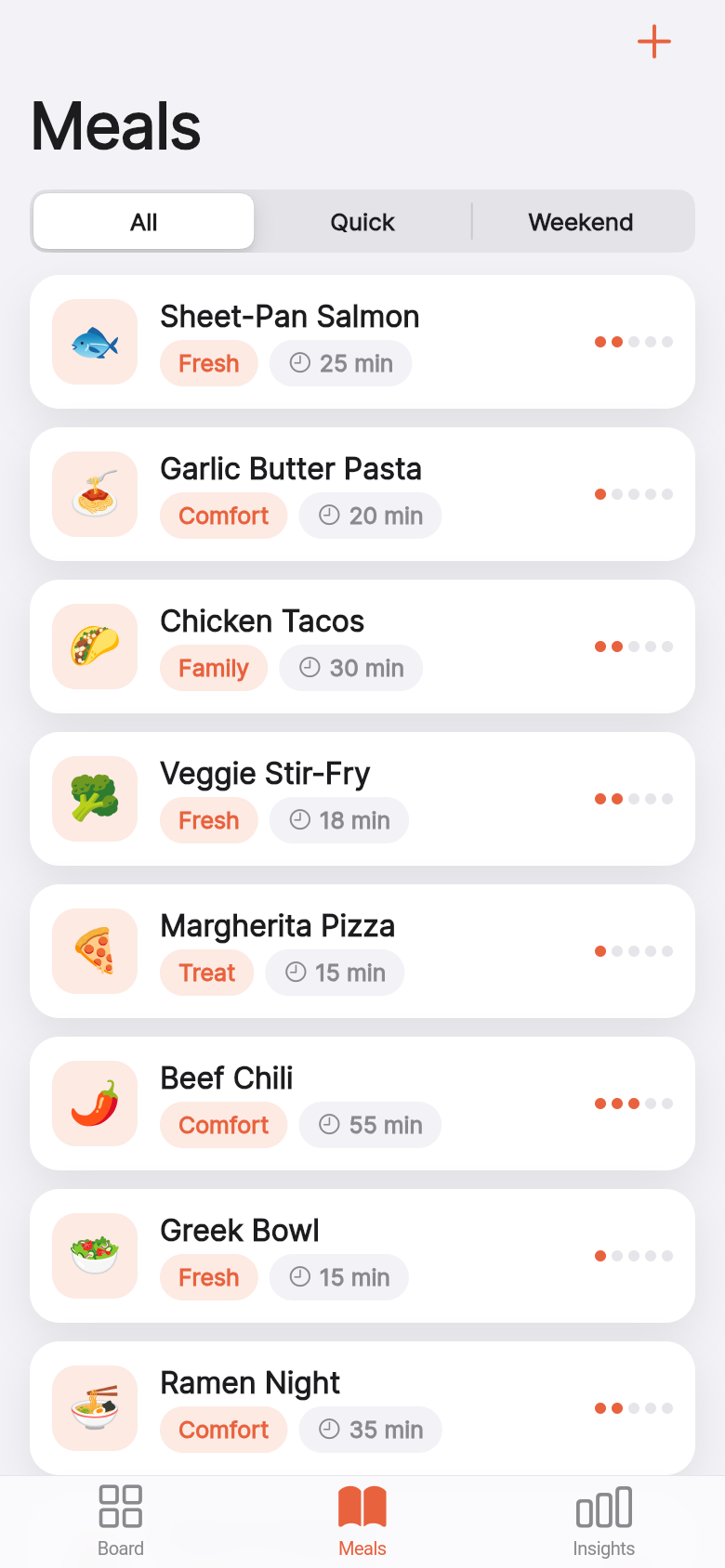
Your saved meals live in a small list alongside the board. To plan a night, you drag a meal onto that day's slot. To clear a night, you tap it. The interaction is immediate and the plan persists, so the work you did on Sunday is still there on Thursday.
Try it in the demo above: drag Pasta to Wednesday, move Tacos to Friday. The open slots stay visually distinct so you know at a glance what still needs a decision. That clarity is what keeps you from reaching Thursday with no idea what's happening that night.
The whole thing is offline. Nothing syncs, nothing logs in, nothing loads slowly. It's a board on your phone, the way a whiteboard on the kitchen wall works, except it's in your pocket.
Who actually uses this
The people this was built for already know what they cook. They have eight or ten dinners in rotation, and the problem isn't discovering new recipes, it's just deciding which ones happen which night. A full-featured meal planner with calorie tracking and store integrations is the wrong tool for that problem. It's the equivalent of using a spreadsheet to write a grocery list.
Dinner Board is useful for a parent who wants to stop fielding the question every single evening, for a couple who ends up ordering takeout not because they don't have food but because neither person made a call, and for anyone who finds that a little pre-commitment early in the week makes the whole week quieter.
The unplanned nights are the expensive ones
There's a consistent pattern behind unplanned dinner decisions: the nights with no plan are the ones that end in takeout. Not always, but often enough that it's worth paying attention to. The cost isn't just money, it's also the low-grade stress of the decision itself landing at exactly the wrong moment.
Seeing open nights on the board changes the moment of decision. Instead of realizing at 5pm that nothing is planned, you noticed on Sunday when you were filling in the rest of the week, and you either filled it in or made peace with leaving it open on purpose. Either way, it's no longer a surprise.
Built from a single idea, in an afternoon
Dinner Board started as a one-line description of the problem: a drag-and-drop weekly dinner planner, nothing else. From that, the app was built and running the same day, a working board with meals, drag interaction, open-slot indicators, and persistent state.
The point isn't the speed, it's that the idea was narrow enough to build cleanly. When a tool does exactly one thing, it's easier to pick up and harder to abandon. You can see that in the demo: there's no onboarding, no tutorial, nothing to configure. You open it and it's already mostly useful.
39
files in the build
40.1 MB
app bundle
Flutter Web
runs in any browser
Have a tool you wish existed?
Dinner Board came from a simple description of a daily frustration. If you have a small problem that a focused app could solve, you can build it the same way, starting with one sentence.