
health
Pressure Log: A Simple Blood Pressure Tracker That Stays on Your Phone
A clean, offline log for your home blood pressure readings — with charts, clinical categories, and nothing to sign up for. Built for the doctor visit you want to go well.
Artem
Founder
· 4 min read
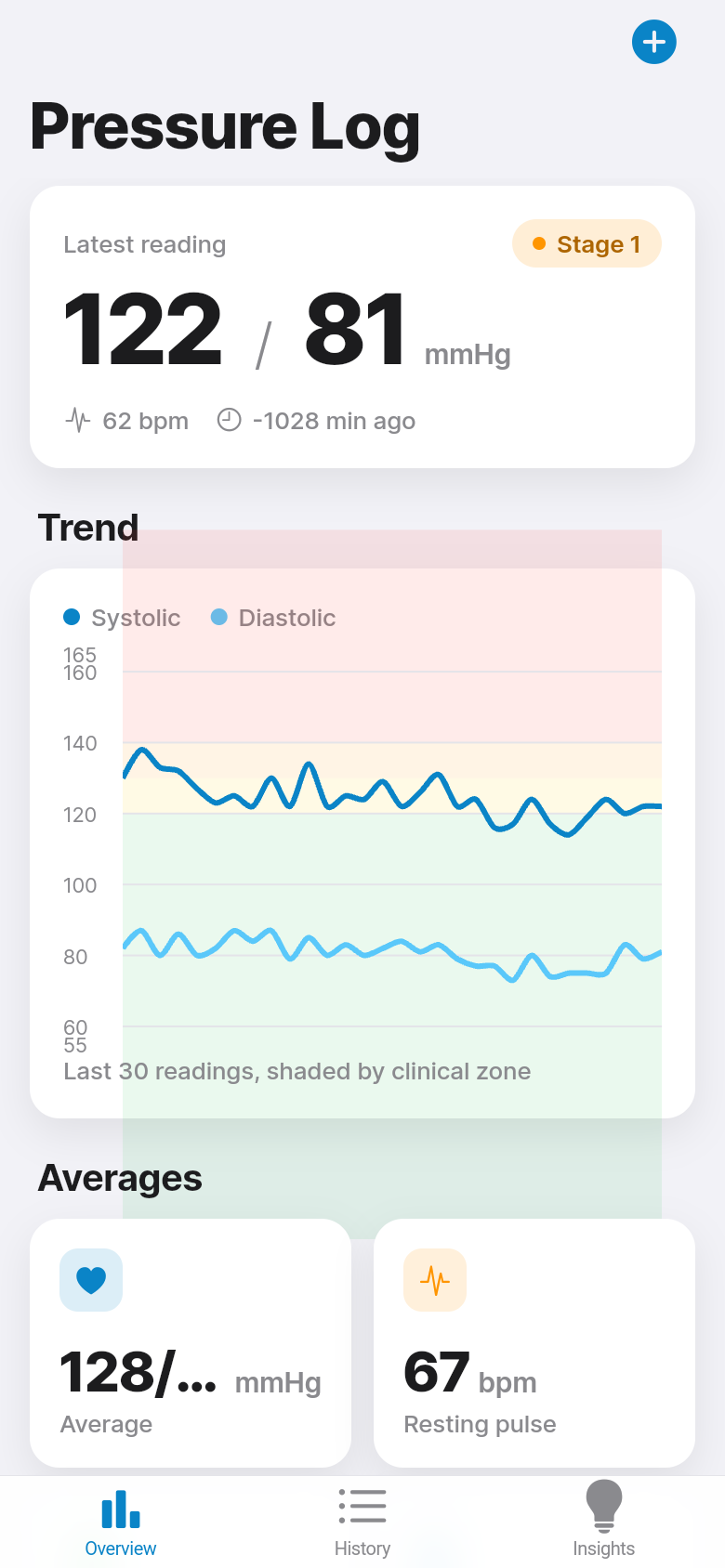
Most blood pressure monitors come with a paper logbook. Most paper logbooks end up in a drawer. And most doctor visits begin with the same awkward moment: "Did you keep a record?" — followed by a phone scrolled to the Notes app, a few numbers typed on different days, no context, no pattern. Pressure Log was built to close that gap without making the job harder than it needs to be.
It is a single-purpose app that does one thing well: it keeps an accurate, readable record of your blood pressure readings, right on your phone, with no account, no cloud, no ads. Tap in your numbers, see where they fall, and show your doctor a chart that actually means something.
Live demo
Logging a reading takes about ten seconds
Open the app, tap the log button, enter systolic, diastolic, and pulse. That is the whole flow. The fields are large, the keyboard comes up immediately, and there is no onboarding screen asking for your name, age, or email address. The first reading you enter is saved instantly and the chart updates to show it.
The app is designed to feel as close to jotting something in a notebook as possible, because that is the competition. If logging a reading is slower or more annoying than writing on a scrap of paper, the habit breaks. Pressure Log tries to be faster.
Try it in the demo above: enter a reading and watch the chart update. The numbers go in and the point lands on the graph immediately.
The chart puts your readings in clinical context
Every reading is plotted over time, with systolic and diastolic shown as separate lines. Behind the lines, the chart shades the clinical BP categories defined by major cardiovascular guidelines: Normal, Elevated, Stage 1 Hypertension, Stage 2 Hypertension. You do not have to look up what your numbers mean. The shading tells you at a glance.
This matters more than it sounds. A single reading of 138/88 does not tell you much. Ten readings over two weeks, most of them in the Elevated band with one or two crossing into Stage 1, tells you something actionable. That is what your doctor is trying to understand when they ask you to keep a log, and it is what Pressure Log surfaces automatically.
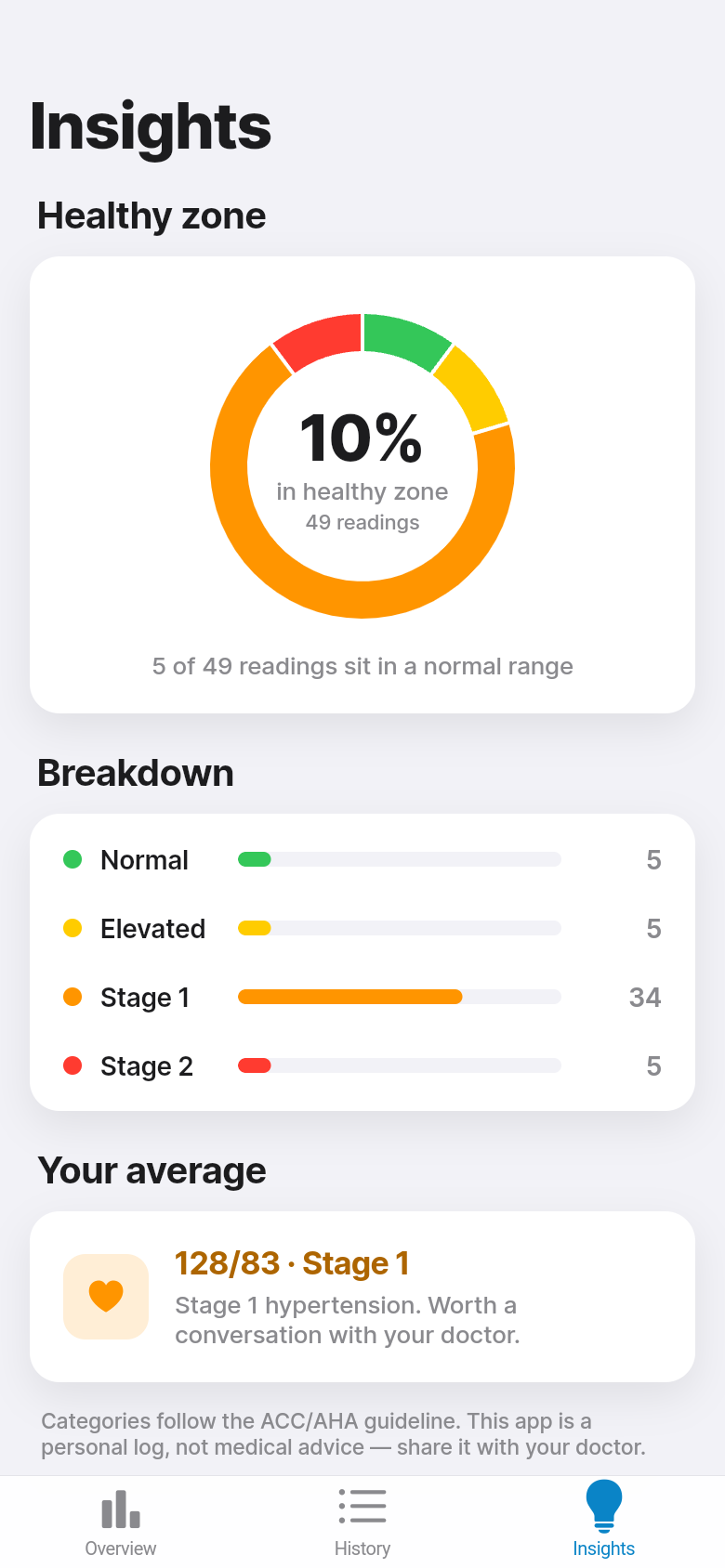
The app also tracks what fraction of your readings fall in the healthy range, so you can see whether things are moving in the right direction over time, not just what today's number happened to be.
Everything stays on your phone
There is no account to create, no server to sync with, no subscription tier that unlocks the chart you actually need. Every reading is stored locally on your device. If you delete the app, the data goes with it, because it was never uploaded anywhere to begin with.
For something as personal as health data, this is not a technical footnote. A lot of people are quietly uncomfortable with the idea of their blood pressure history sitting in some company's database, attached to an account tied to their email address. Pressure Log avoids that problem entirely by never collecting anything.
It is also the reason the app works without a network connection. Pull it up in a hospital waiting room or on a flight. It will work.
Reviewing and correcting past readings
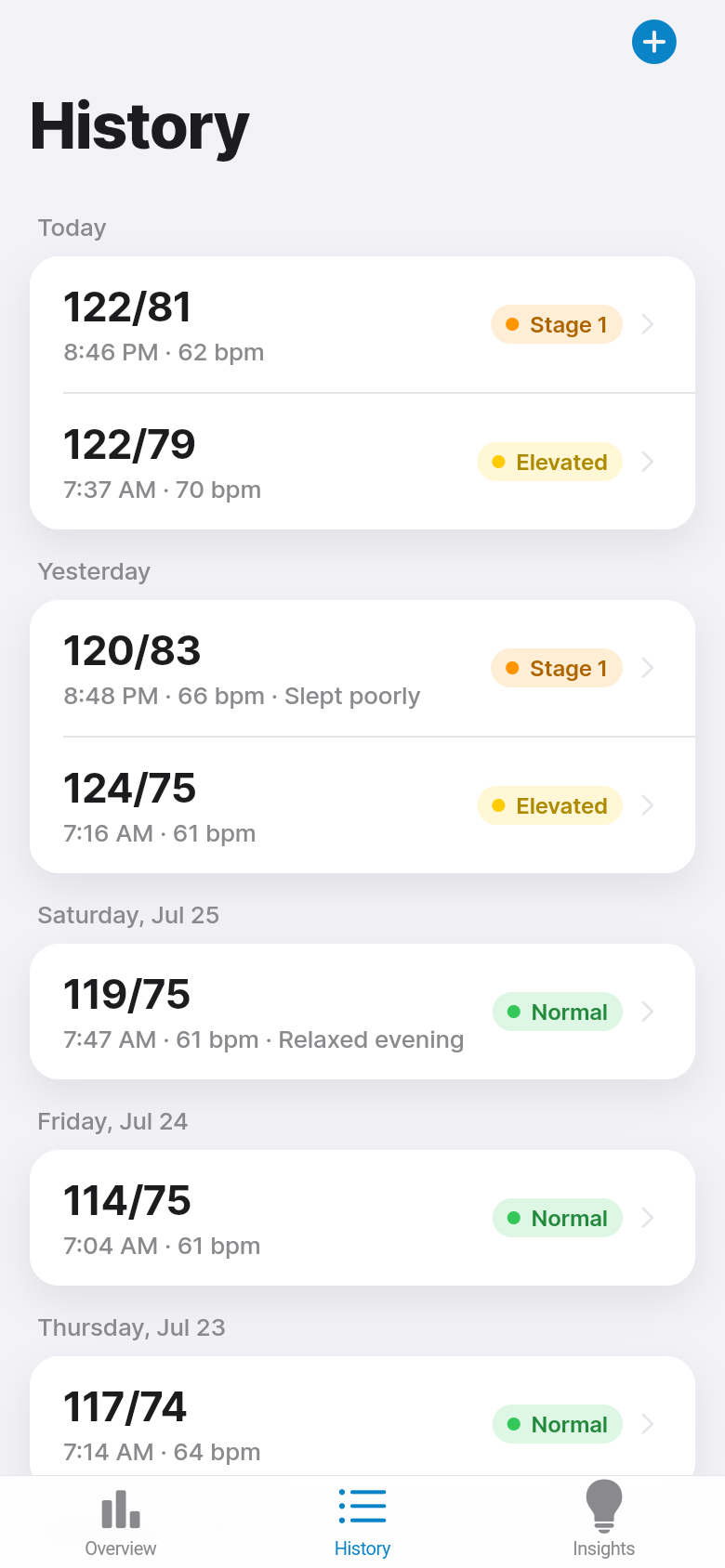
Readings are grouped by day so you can scroll back through your history the same way you would flip through a logbook. If you entered a number wrong, you can tap into the reading and edit it. If a duplicate slipped in, you can delete it. The record stays clean.
When it is time for a doctor appointment, you have something concrete to show: a chart with trend lines and category shading, and a list of readings grouped by date. That is the kind of organized record that makes a short appointment more productive, and that your doctor will actually find useful.
Scroll through the demo to see how past readings are organized. Tap one to edit it. The interface is designed to feel familiar, like a well-organized list, rather than like medical software.
Who this is for
Pressure Log is most useful if you are monitoring borderline or elevated blood pressure on a doctor's recommendation and want a reliable way to track whether the numbers are improving. It is also a practical tool for caregivers, a spouse or adult child who takes readings for a parent and needs to keep a tidy record without setting up an account on someone else's behalf.
It is not a medical device and it does not replace clinical advice. What it does is make the home-monitoring habit sustainable, so that when you do see your doctor, you both have the same information to work from.
39
files in the build
40.2 MB
app bundle
Flutter Web
runs in any browser
Have a tool you wish existed?
Pressure Log started as a one-line idea: a private, offline blood pressure log with a real chart. Leanfinit turned that into a working app. If there is a small, specific tool you have been looking for, you can build it the same way.