
education
Priya's Tables: Drilling the 7s and 8s Before the MTC
A timed multiplication drill built for one Year 4 pupil in Leicester — and every child who 'knows' their tables until the clock starts.
Artem
Founder
· 5 min read
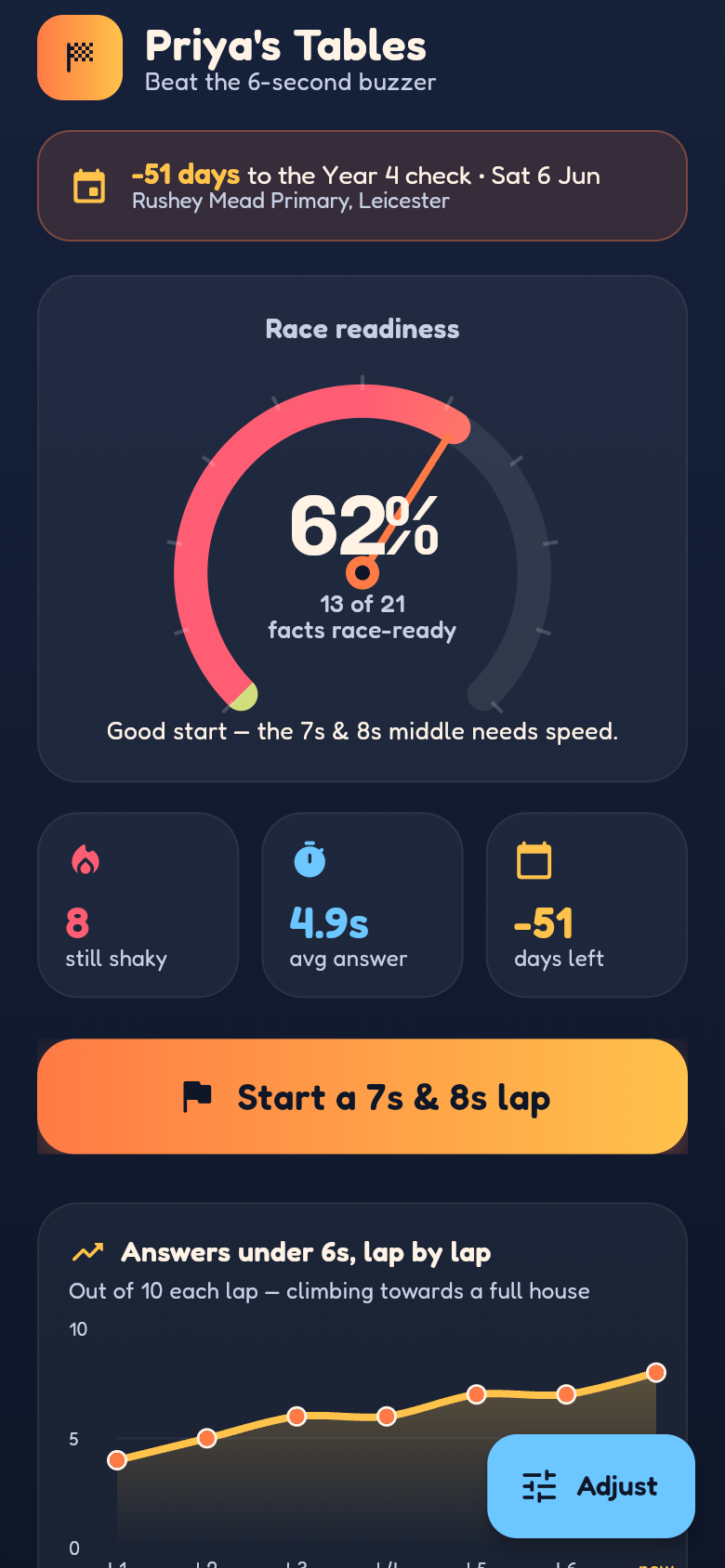
Priya knows her seven times table. Ask her calmly at the kitchen table and she'll get every fact right. But the Multiplication Tables Check — the statutory Year 4 assessment every child in England sits in June — doesn't give you a calm kitchen table. It gives you 25 questions and six seconds each. That gap between 'knows it eventually' and 'knows it under the clock' is exactly where children fall apart, and exactly what this app was built to close.
Priya's Tables is a focused drill app created for one specific child facing one specific exam. It times every single answer, flags any response that crosses the six-second line, and keeps hammering the facts that are still too slow. Below you can try the live version yourself — hand your phone to your child and see how they get on.
Live demo
Why six seconds changes everything
The MTC format is deceptively strict. Each question appears, the child has six seconds to answer, and the window closes. There's no coming back to it. A child who needs eight seconds to recall 7×8 will score that question as incorrect — not because they don't know the answer, but because they can't retrieve it fast enough.
This is why broad practice on all tables, at the child's own pace, doesn't fully prepare them. It builds accuracy. It doesn't build the automatic, sub-second recall the check actually tests. Priya's mum had the right instinct: she needed to know not just whether Priya could answer 8×6, but whether she could answer it in under six seconds, and if not, which specific facts were still over the line.
What the app actually does
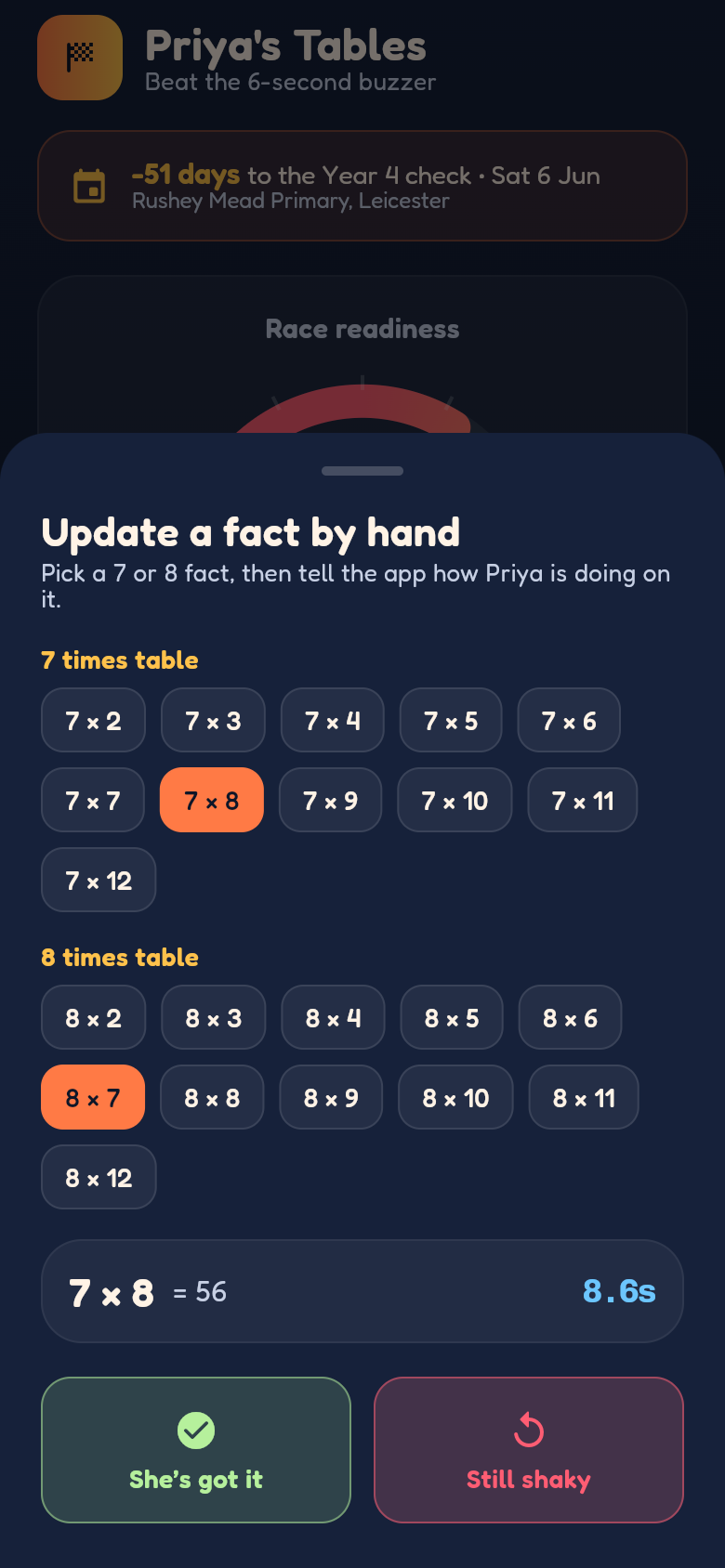
Open the app and you'll see it's pre-loaded for Priya's situation: the 7s and 8s are the active tables, and the facts that tend to trip children up — 7×8, 8×6, 8×7 — are weighted to come around more often. Every question starts a visible countdown. Answer before the bar runs out and you're fine. Answer after, and the fact is logged as slow, regardless of whether it was correct.
After each session, the parent-facing summary shows two things at a glance: overall readiness (how many facts are consistently under six seconds) and a 'still slow on' list — the exact facts that need more work. It's pre-filled from the first session, so there's nothing to configure before it becomes useful.
Practice data is saved locally on the device, with no account or login required. That means Priya can do five minutes every evening and the app remembers where she is. As more facts drop below the six-second line over successive sessions, the readiness score climbs. Progress is visible, which matters for a child who needs to feel momentum.
The facts that catch children out
There's a well-documented cluster of multiplication facts that children find hardest to recall at speed: 6×7, 6×8, 7×8, and their reverses. These aren't harder mathematically — 42 and 48 and 56 are perfectly memorisable — but they sit in a zone where two tricky tables overlap, so they get less repetition than the easier facts and don't become automatic in the same way.
Generic tables apps drill all 144 facts evenly, which means these awkward middle facts get the same share of practice as 2×2. Priya's Tables weights them to appear more often precisely because they're the facts most likely to eat the six-second window. Try a few rounds in the embedded app above and you'll notice 7×8 coming around more than 7×2. That's deliberate.
Using it in the weeks before the check
The app works best as a short daily habit rather than a long session once a week. Five to ten minutes every evening, checking which facts have moved off the slow list since yesterday, is more effective than a forty-minute cram. The progress tracking is designed to support exactly this: each lap is recorded separately, so you can see whether this Tuesday's session is better than last Tuesday's.
One practical suggestion: after your child finishes a session, look at the 'still slow on' list together and pick one or two facts to say out loud a few times before bed. Not as a test — just as repetition. 7×8 is 56. 8×6 is 48. Said a few times, written once, then backed up by timed drill the following evening. That combination of deliberate recall and speed practice is what shifts a fact from 'I know it' to 'I know it instantly.'
Built from a single idea, ready to use today
Priya's Tables started as a specific problem — one child, two tables, one exam with a hard time limit — and was turned into a working, interactive app in a matter of hours. It stores data locally, runs offline, and has no setup beyond opening it. Everything it does is in service of that one goal: getting the slow facts under six seconds before 6 June.
If your child is preparing for the MTC and you know which tables are causing problems, this is the drill. Try the live version embedded above — it works on any device — and see which facts are still over the line for your child.
39
files in the build
40.2 MB
app bundle
Flutter Web
runs in any browser
Have a specific problem? Build your own tool.
Priya's Tables was built from one parent's very specific frustration. If you have a tool you wish existed — for learning, tracking, organising, or anything else — describe it and Leanfinit will build it for you.